Personalprojects.

11 of the 41 apps I built for my own use in 2026, working with AI coding tools. Desktop tools, iPhone apps and creative software: what each one does, the hard parts, and how I solved them.

01SMOFFJul 2026 → todayiPhone & Apple Watch appNot on the App Store yet
9languages, including right‑to‑left Arabic

Quit smoking by stretching the wait

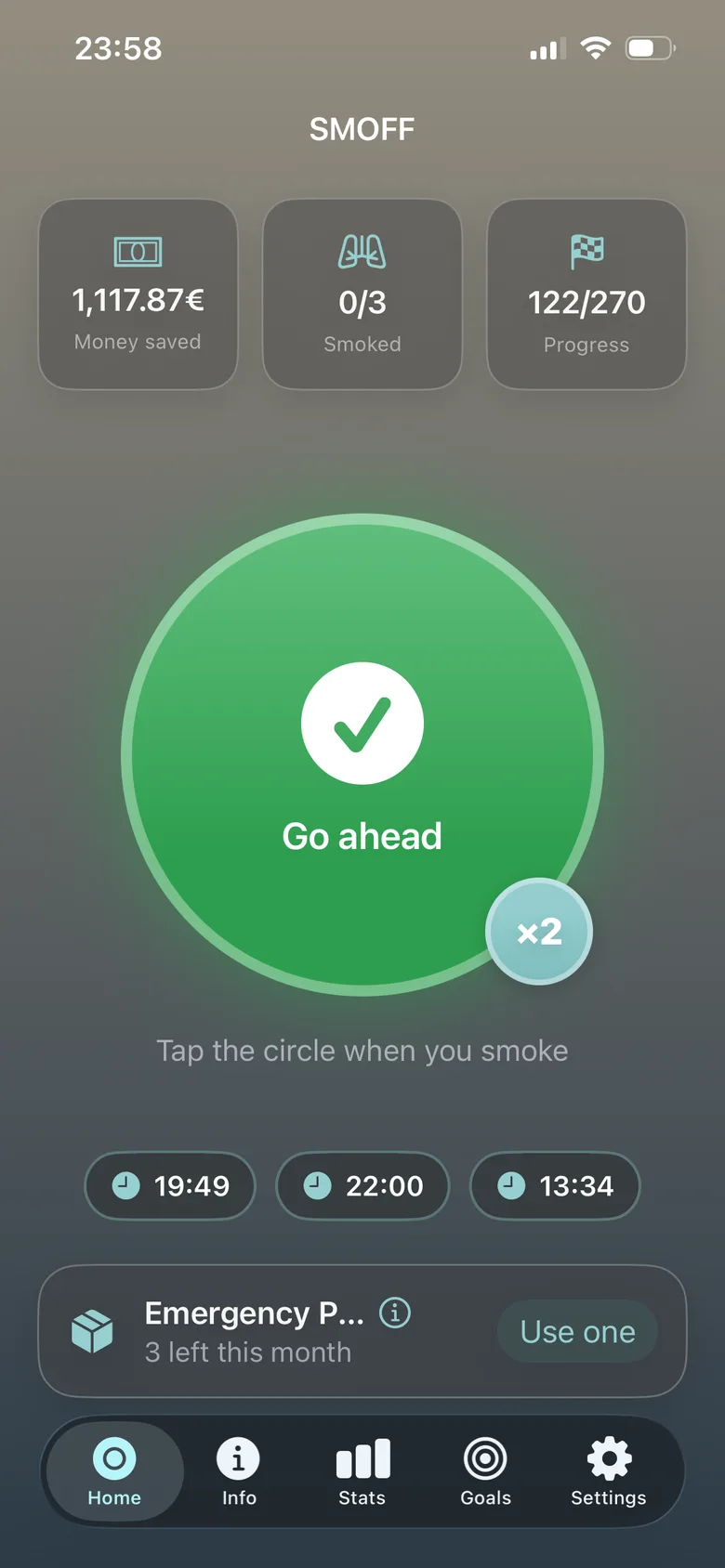
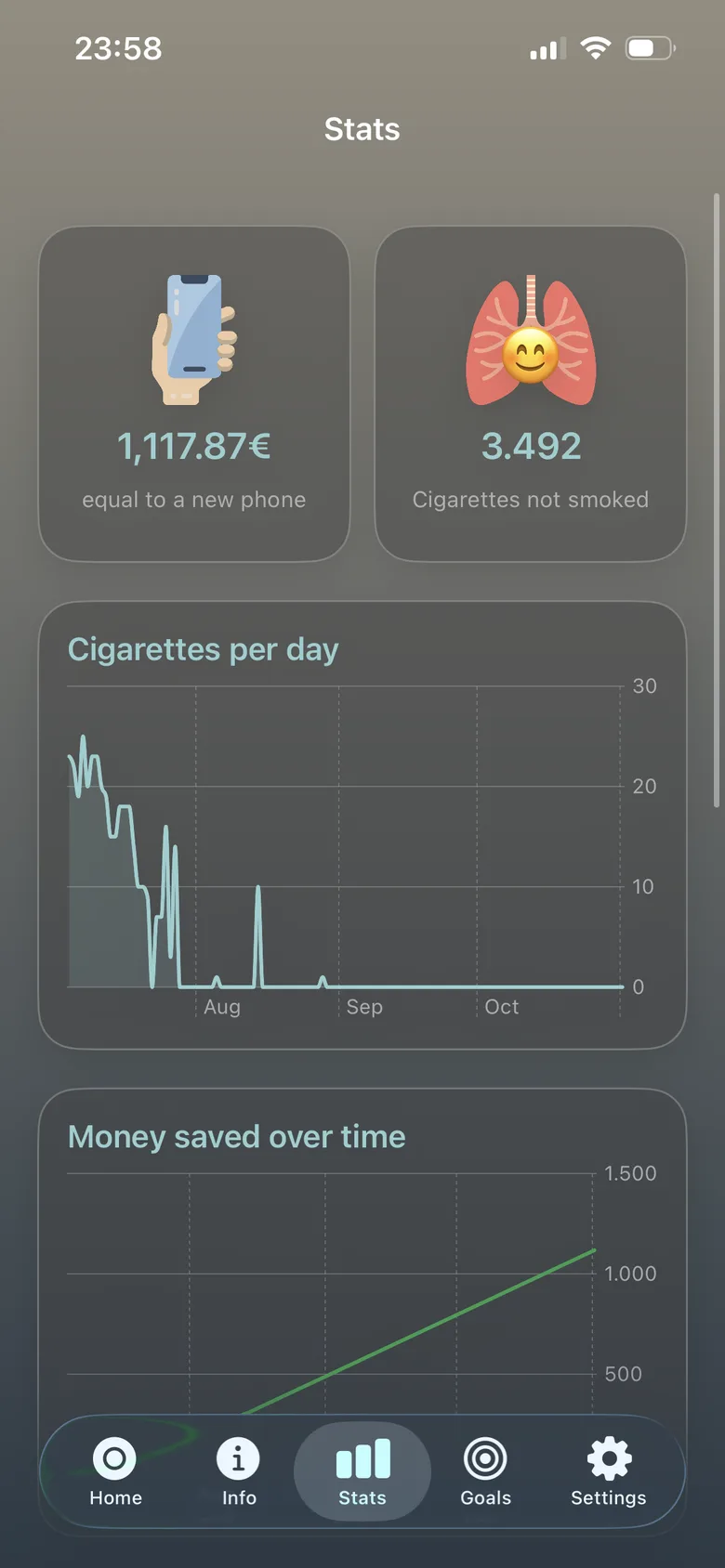
A free, offline, ad‑free app that helps people quit smoking. A green or red light says whether you may smoke now, and the wait grows a little every day until the daily count reaches zero.
What it does

  • A one‑tap dashboard: the light, money saved, today’s count, and an “emergency pack” of extra cigarettes for bad moments.
  • Statistics, money milestones and a clock heatmap of the hours you smoke most.
  • Home‑screen widgets and an Apple Watch complication: one tap on the watch logs a cigarette without opening any app.
  • Nine languages including right‑to‑left Arabic, a colour‑blind mode, and iCloud sync only if you turn it on.

The hard parts

Motivate, never punish

The first version showed money saved dropping every time you smoked. Statistics now count only completed days, so progress only ever goes up.

A widget that counts down without a timer

Widgets can’t run live timers. The app saves the exact moment the light turns green and schedules the widget to flip then, even when the app is closed.

Sync that never loses a cigarette

The phone owns the data and the watch mirrors it. iCloud sync merges devices by joining every logged event, so nothing recorded offline is lost.

SwiftSwiftUIWidgetKitwatchOSCloudKitSwift Charts

02GittoOct 2026Desktop app · macOS, Linux, Windows
165+automated tests, many on real Git repositories

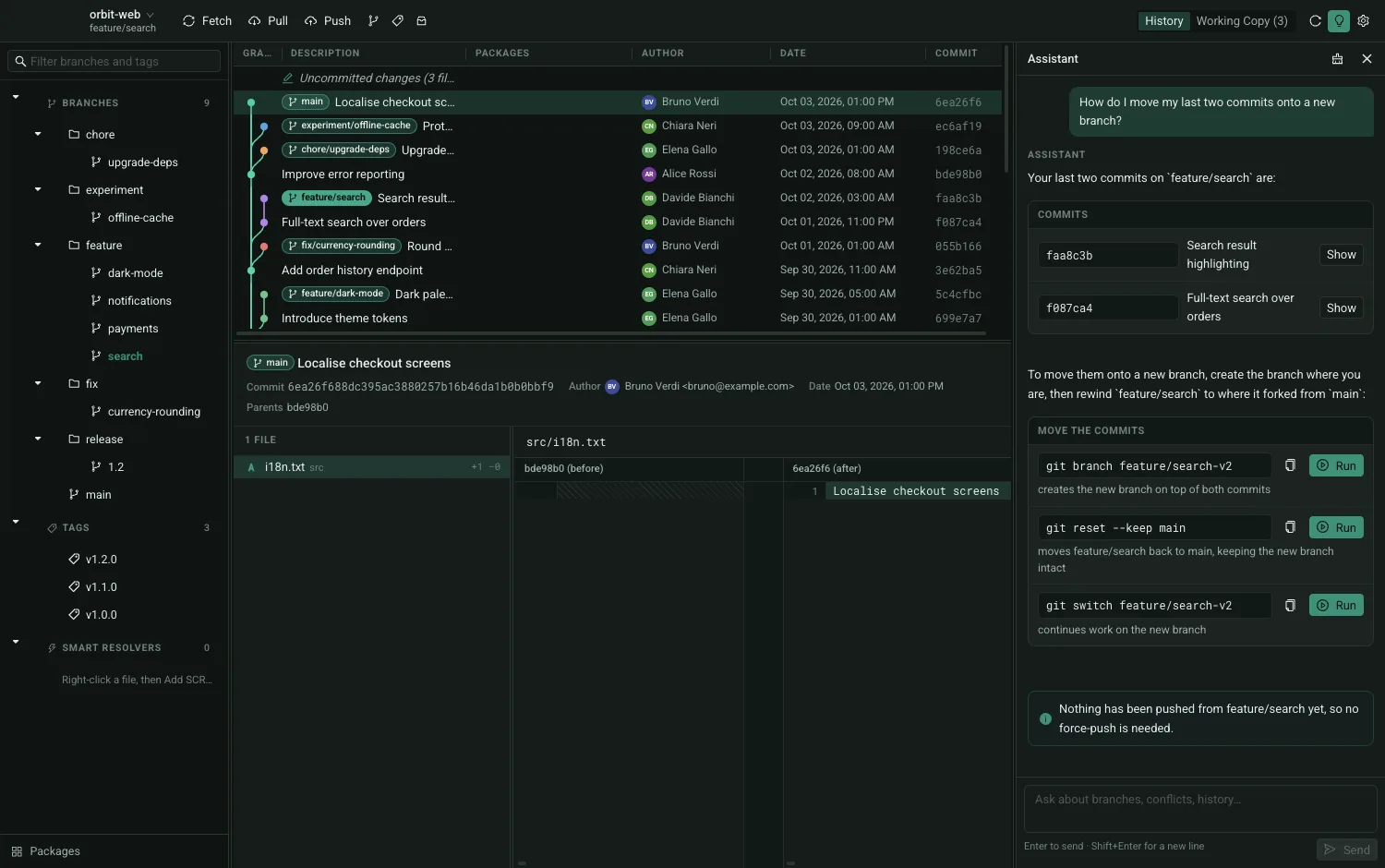
A Git client with an AI assistant built in

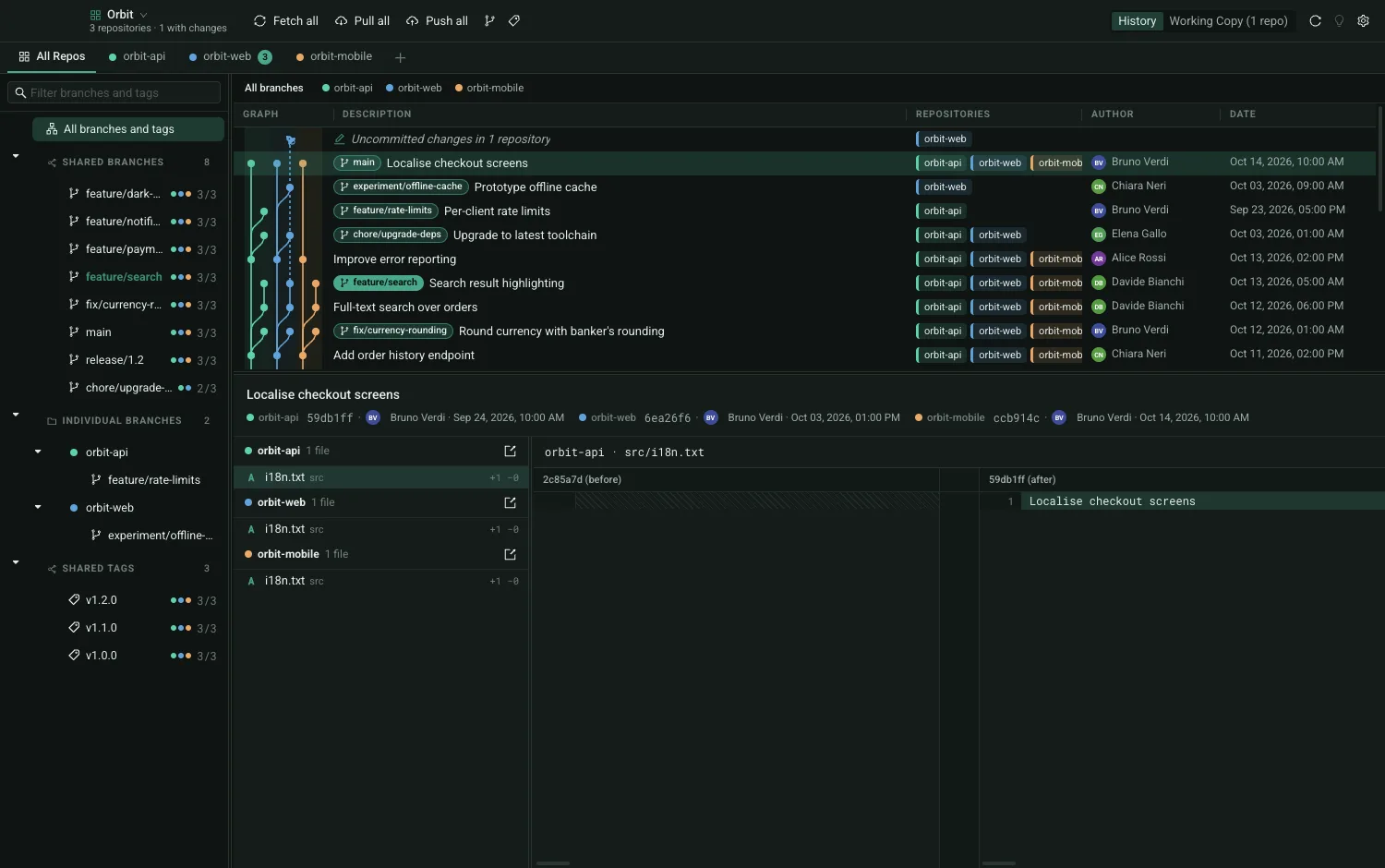
A desktop app for Git, the tool developers use to track every change to their code, in the spirit of SourceTree and GitKraken, with AI help for commands and merge conflicts. Built in about four weeks.

What it does

  • A readable history graph, side‑by‑side comparisons and one‑click staging of single changes.
  • Workspaces: several repositories opened together, with one combined history.
  • AI merge: Claude proposes a fix for each conflict with its reasoning and confidence; nothing is saved until you approve it.
  • A dependency view showing which commit added or changed each library, with optional vulnerability checks.

The hard parts
One timeline for several repositories

Commits in different repositories never share an ID. Gitto lines them up by matching their messages, so a frontend and a backend change made together sit on the same row without breaking either history.

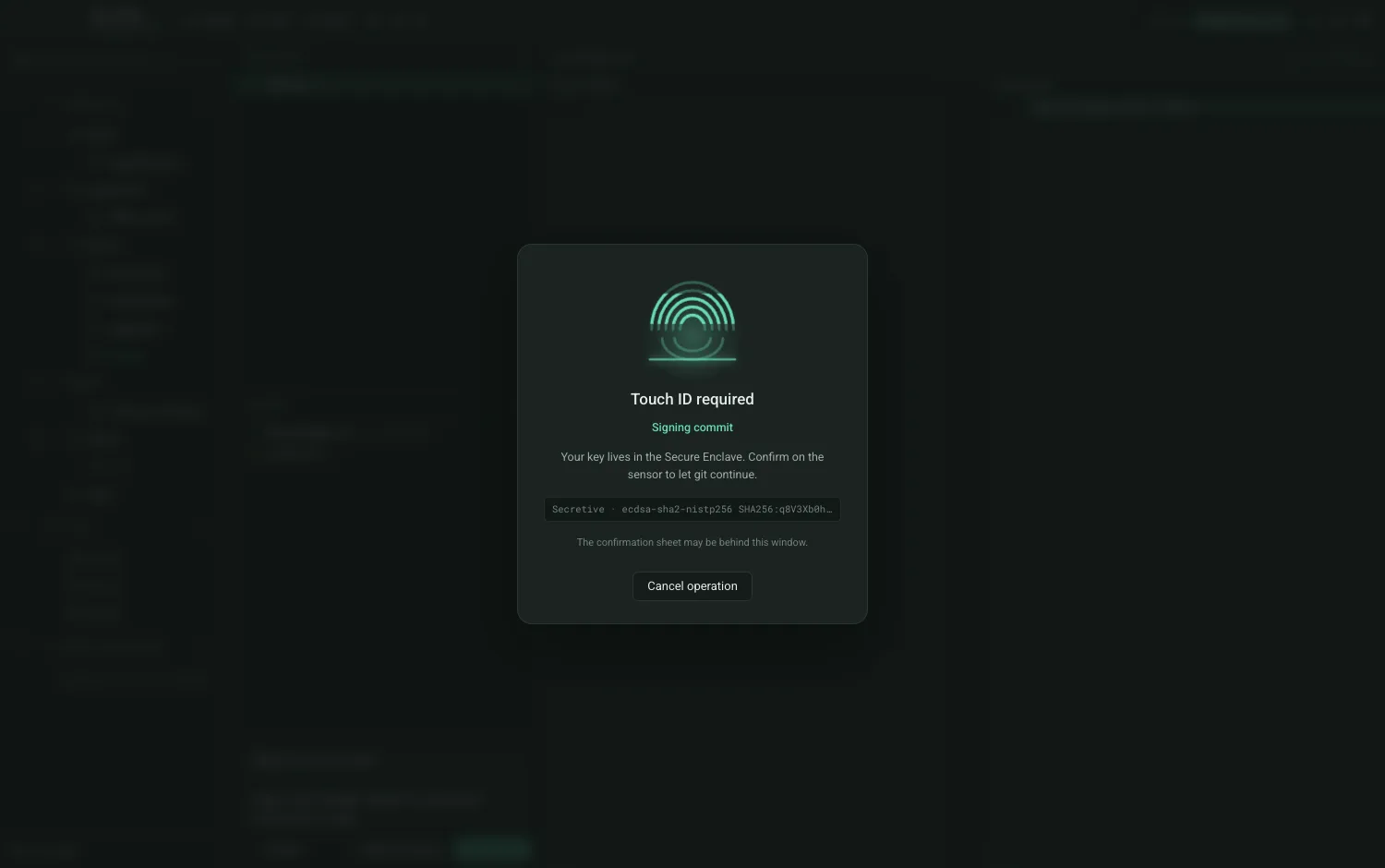
A window that looks frozen

With Touch ID or security‑key logins, Git silently waits for a finger. Gitto detects that wait and shows a clear “touch your key” overlay instead.

AI without touching credentials

All AI goes through the user’s own Claude Code. Tests scan the source and fail the build if any code reaches for an API key.

TypeScriptReactElectronZustandMonacoVitestClaude Code
03NekhonAug 2026Desktop app · Linux, macOS, Windows
2 daysfrom written spec to version 1

A studio for drawing and lettering comics

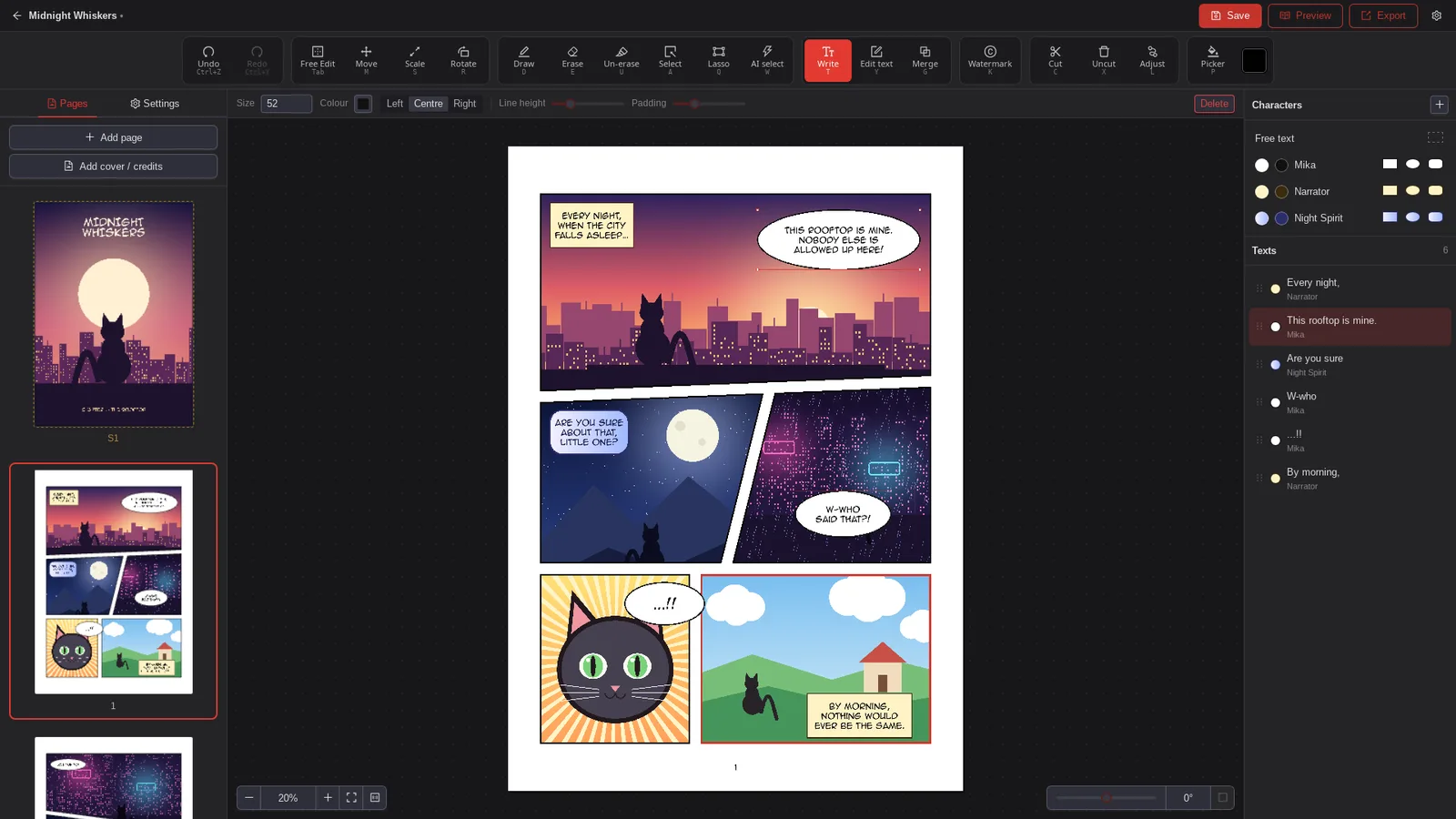
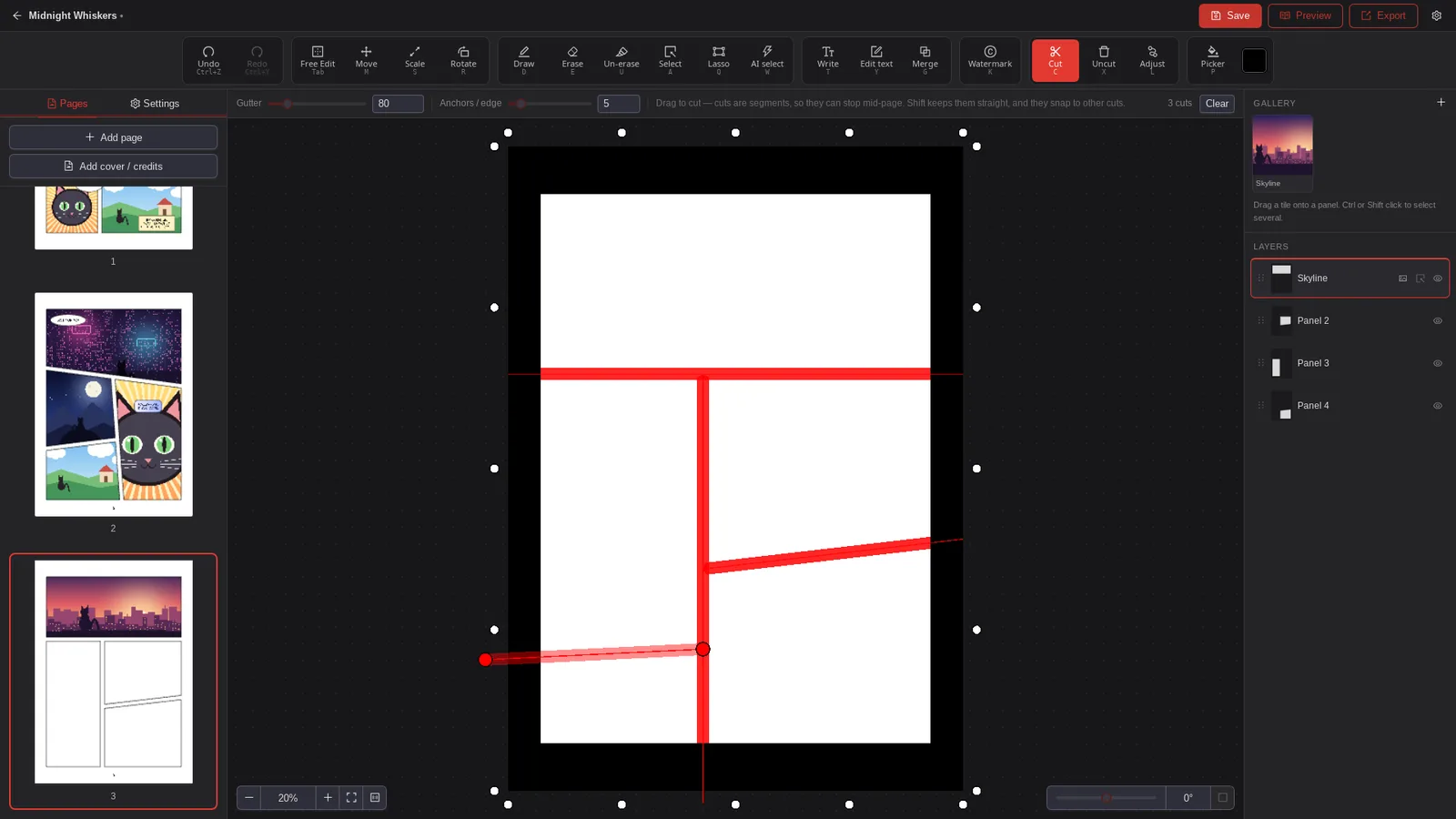
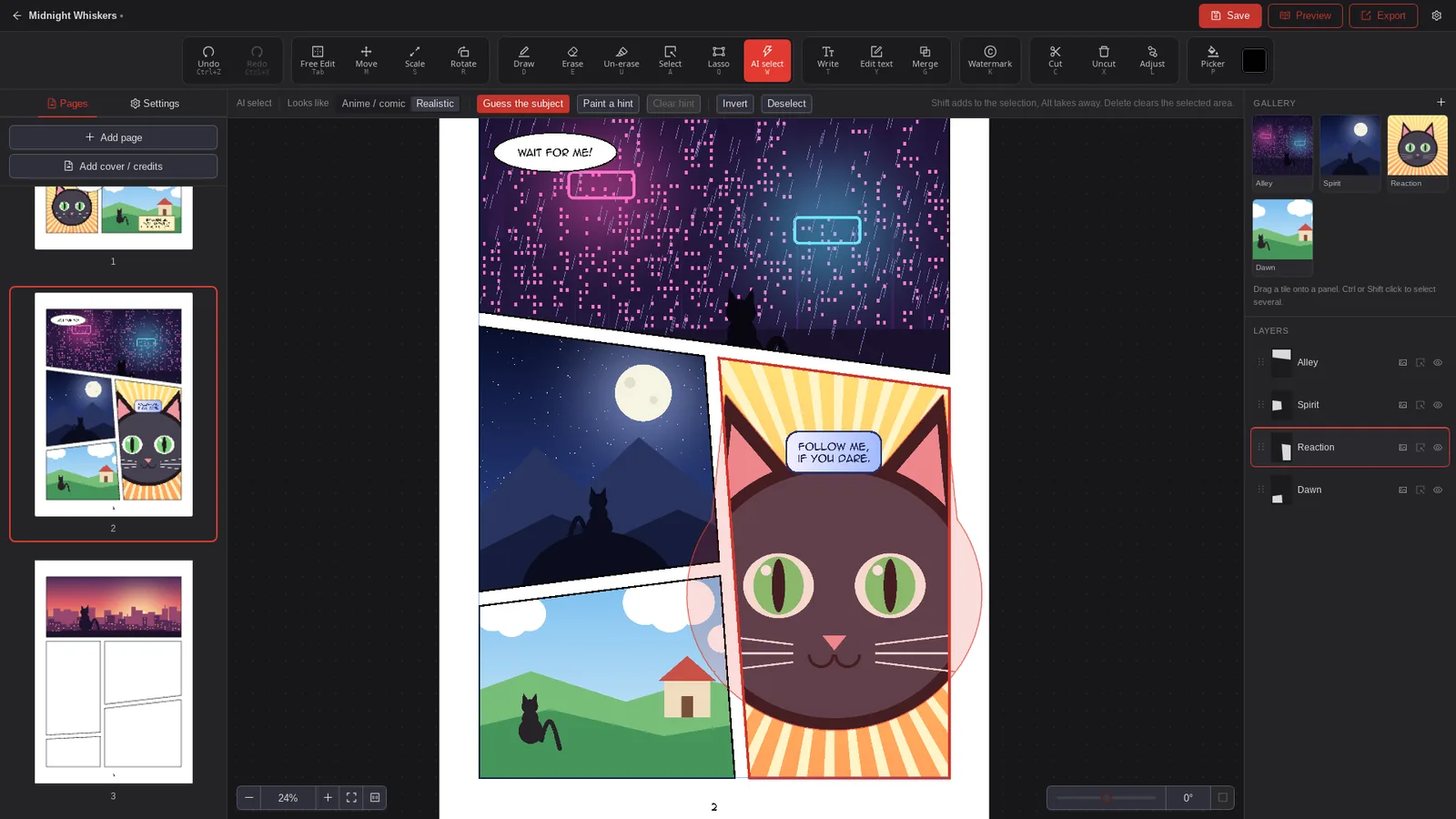
A desktop app to lay out, draw on and letter comic and manga pages, from an empty page to an exported book. Built in about two days with Claude Code, from a written spec.

What it does

  • Cut a page into panels with straight cuts, Y‑shaped splits included.
  • Place art in each panel and paint on it with a pressure‑sensitive pen.
  • Select subjects with AI models that run on the computer itself, not in the cloud.
  • Speech bubbles tied to characters, then export to PDF, EPUB or images.

The hard parts

Pen pressure on Linux

The web view Nekhon runs in reports every drawing tablet as a mouse with fixed pressure. Nekhon reads the real pressure directly from the Linux display system, the same approach Krita uses, and feeds it back to the canvas.
Editing that never destroys the original

Imported images are never changed: erasing and painting live in separate layers, and undo stores only the area each stroke touched, so memory stays bounded.

Local AI that feels instant

Four AI models run locally in Rust. The slow half of the selection model runs once per image, so turning a painted hint into a selection takes milliseconds.

RustTauriTypeScriptReactPixiJSONNX Runtime
04DebateOct 2026Desktop app · Linux, macOS
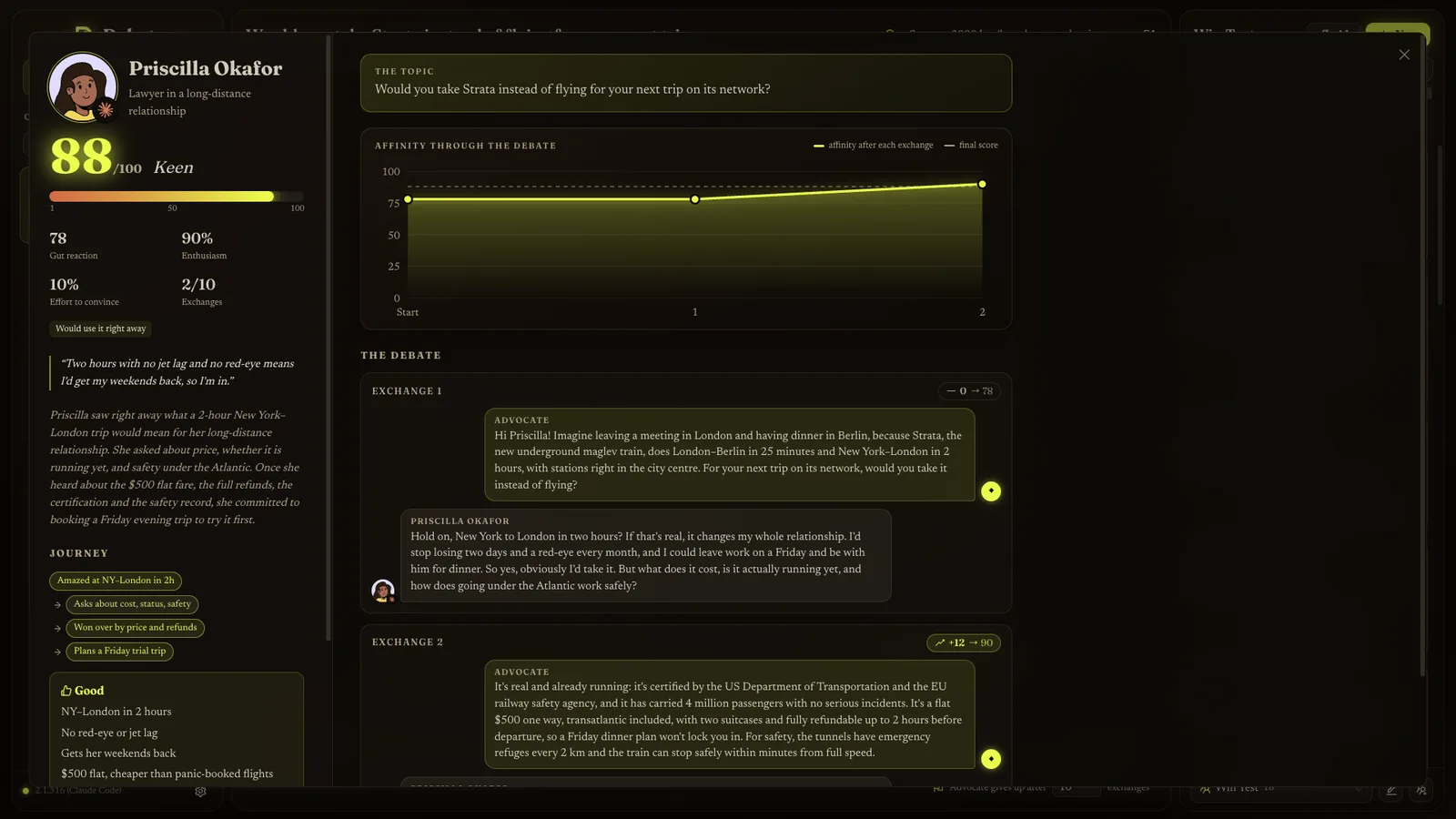
50AI personas per generation session

Test an idea on a crowd of AI people

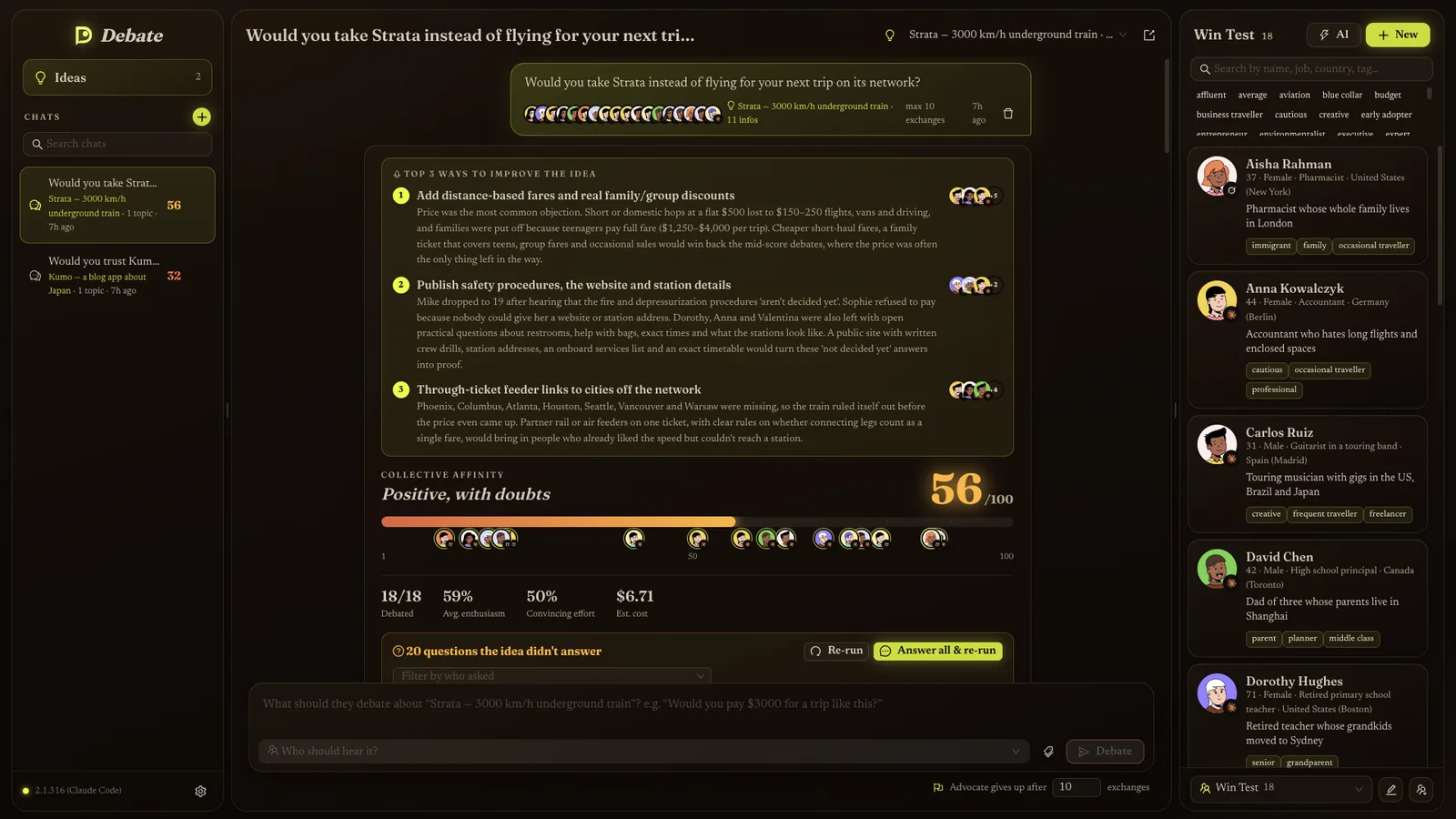
Write down an idea, ask something like “Would you pay $3000 for this?”, and a pool of AI‑simulated people debates it. Each returns a score, arguments for and against, and the questions your pitch could not answer.

What it does

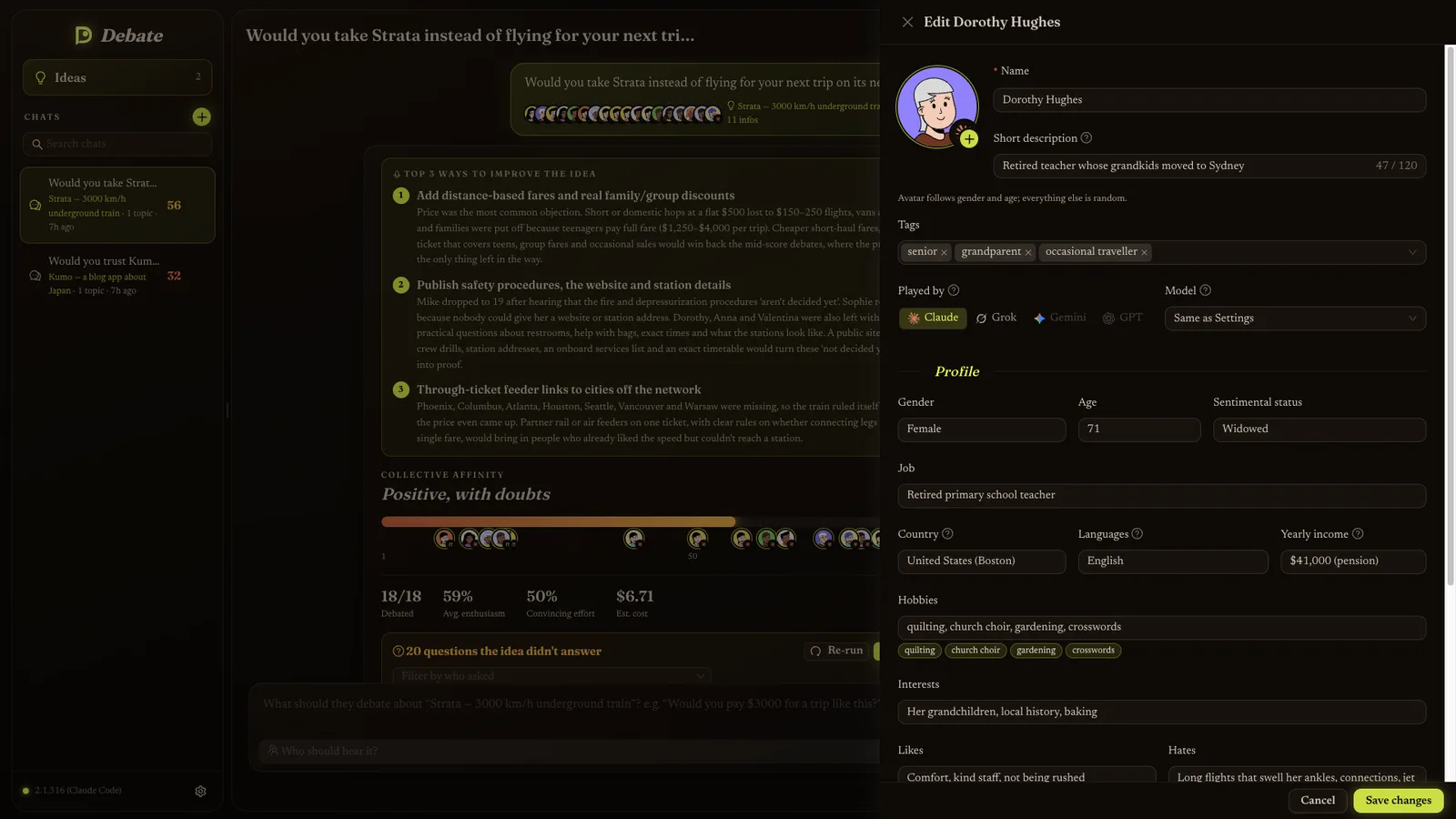
  • Personas with a job, age, tastes and temper, generated from a plain description like “12 retired farmers from southern Italy”.
  • One debate per persona, run in parallel, with live progress while each one is being written.
  • Unanswered questions become new facts with one quick reply, so the next run uses a stronger pitch.
  • The cost of every AI call is tracked, retries included.

The hard parts

Debates, not flattery

AI models tend to agree with everything. The advocate may only use the facts you wrote and must admit what is undecided, and scores follow an explicit scale where a reluctant yes scores far below real enthusiasm.

Live progress from a single answer

Each debate comes back as one block of data after a minute or more. A custom parser reads it while it streams in and shows the current turn, score and line being written.

Never trust the model blindly

Every response is checked and cleaned. A run missing its core fields fails loudly instead of showing blanks.

TypeScriptReactElectronAnt DesignClaude Code
05FireduckSep 2026Desktop app · macOS, Linux
1password prompt for a burst of changes, not one per change

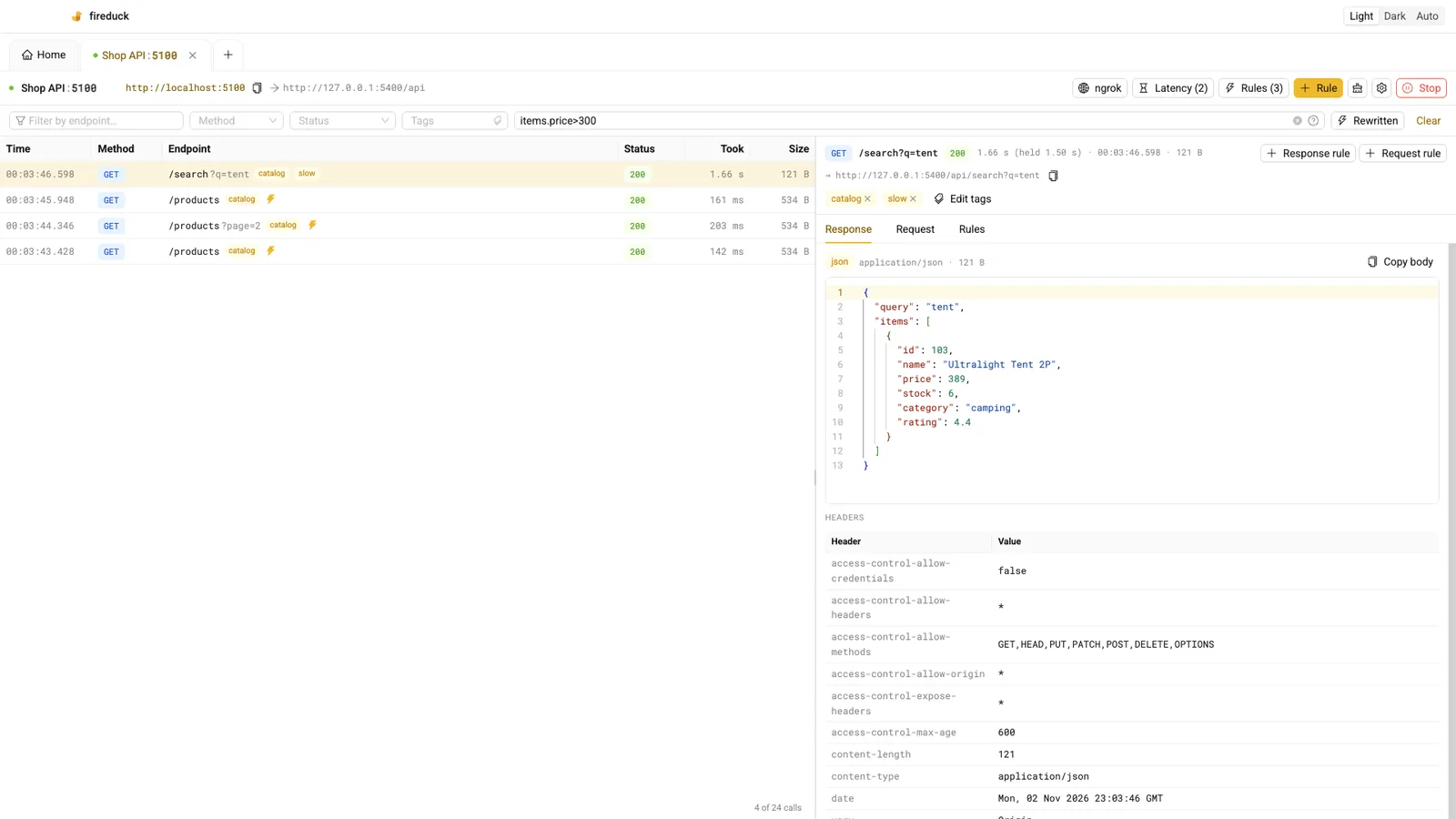
See and change what an app sends to its server

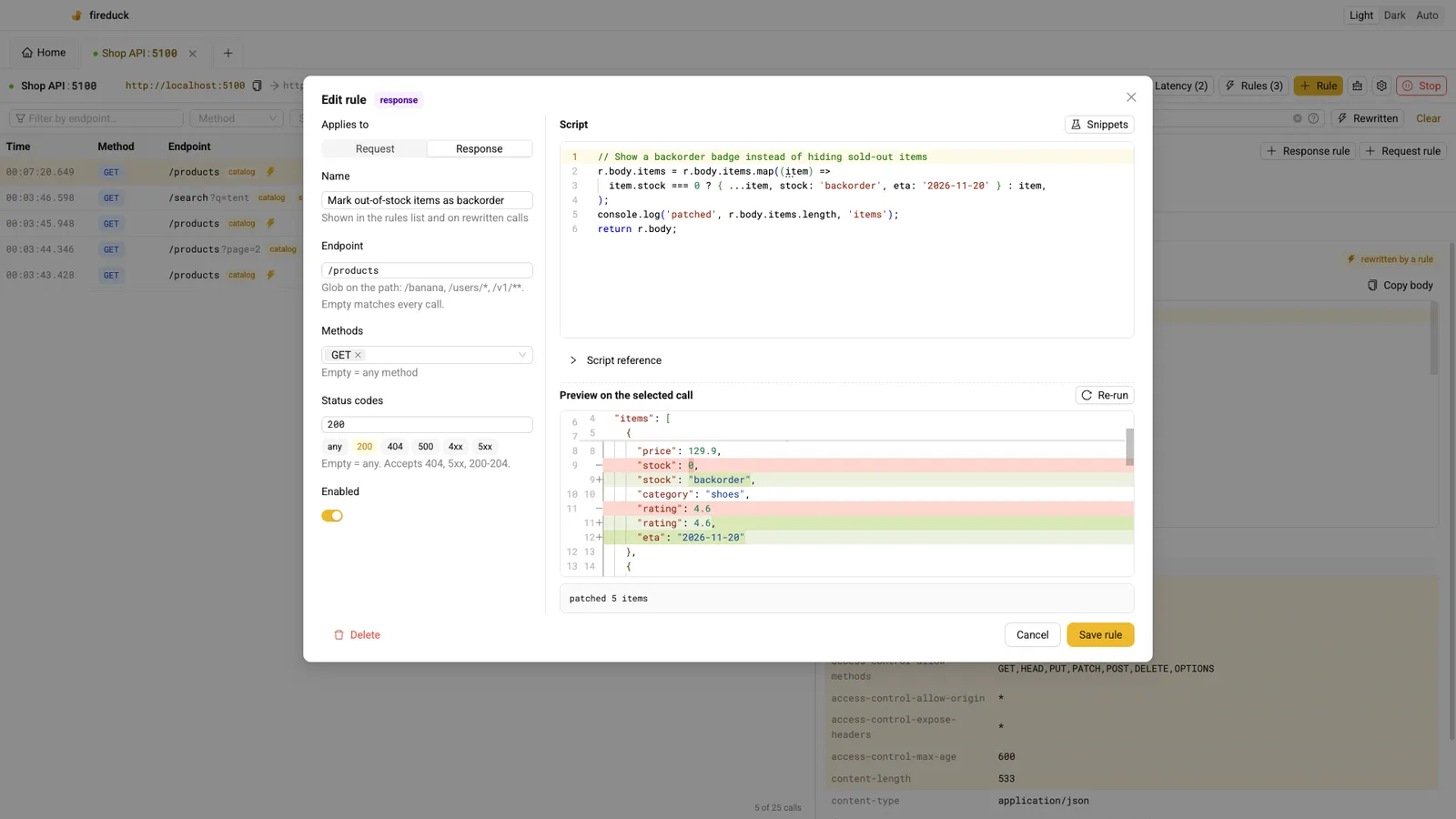
A developer tool that sits between an app and its server. Every call is logged in full and can be rewritten on the fly by small rules, without touching the app or the server.

What it does

  • A full log of every request and response, with a small search language for filtering.
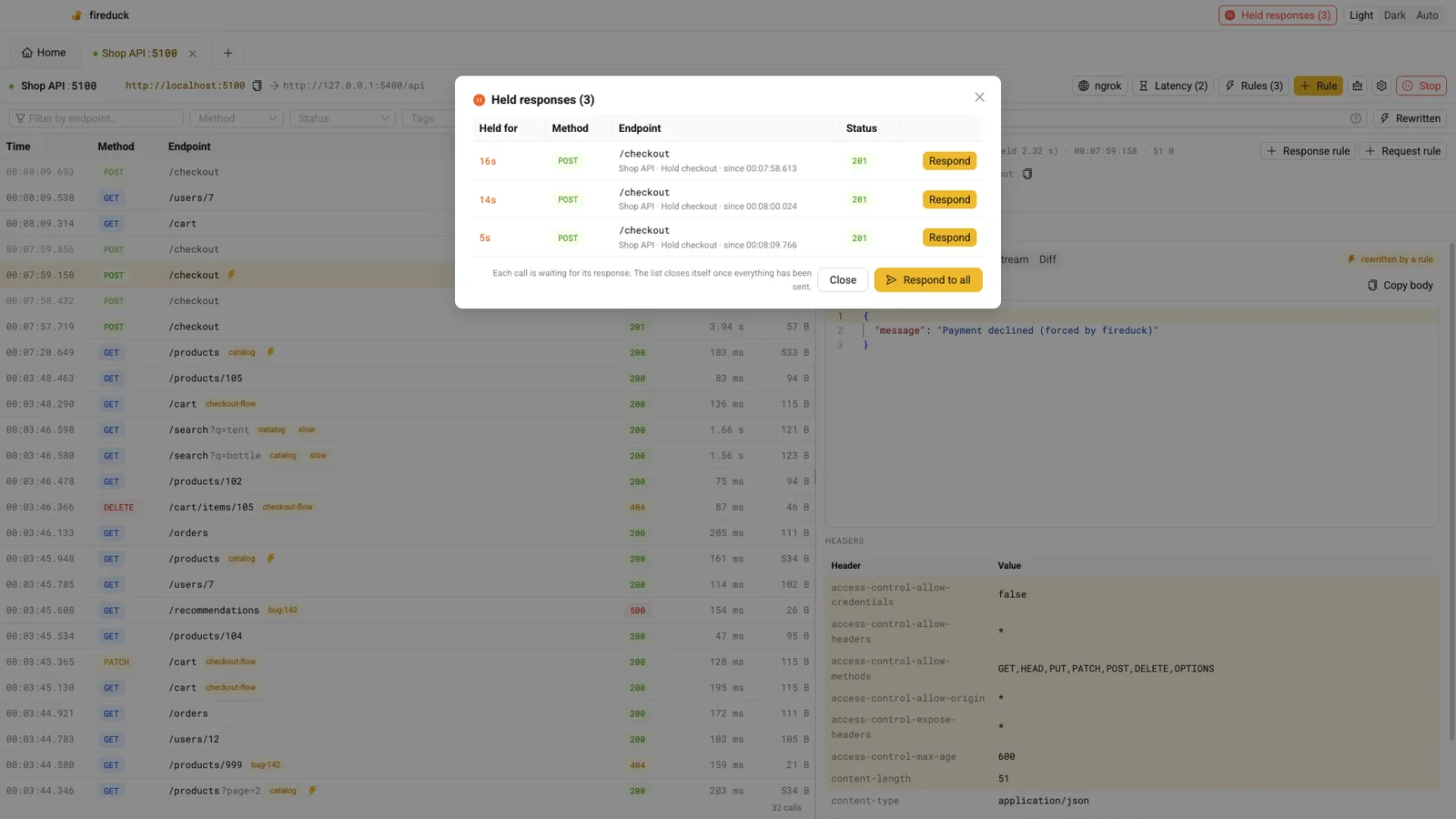
  • Rules that rewrite data, force errors, add delays, or hold a response until you release it.
  • Take over a real web address for the whole machine, so even apps you can’t reconfigure go through it.
  • Claude Code can search and tag the captured traffic: “tag every error on checkout and tell me what they have in common”.

The hard parts

Fewer password prompts

System changes need administrator rights. Calling them from one stable process, with Touch ID when available, means a burst of changes costs one prompt: 4.9 s for the first, about 25 ms for the next ones.

Intercepting a domain without a loop

Once a real domain points at Fireduck, Fireduck still has to reach the real server. It asks DNS servers directly, skipping the local hosts file, so calls never loop back.

Leaving the system as it was

Changes to system files are atomic and fenced by markers, and anything a crash leaves behind is cleaned up on the next start.

TypeScriptReactNode.jsExpressElectronMCP
06DnD MakerAug 2026 → todayDesktop app · Linux first
~470automated tests

A workspace for running tabletop campaigns

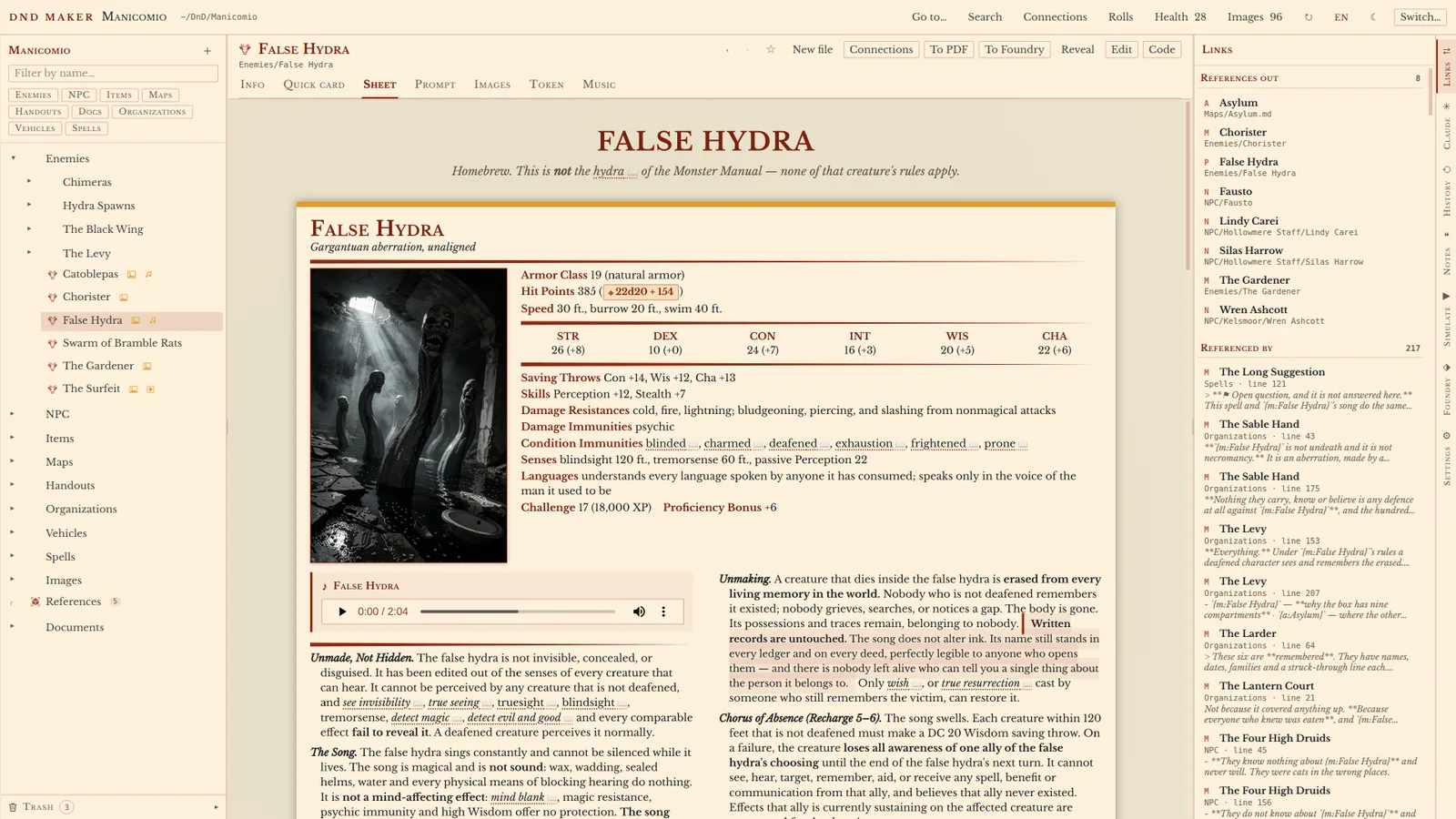
Turns a plain folder of notes, pages and images into a living Dungeons & Dragons campaign: reader and editor, interactive maps, dice, timelines, PDF export, and an AI assistant that writes alongside the author.

What it does

  • No import step and no database: the folder on disk is the campaign, and edits change only what was touched.
  • Interactive battle maps, clickable dice rolls and a 3D dice roller.
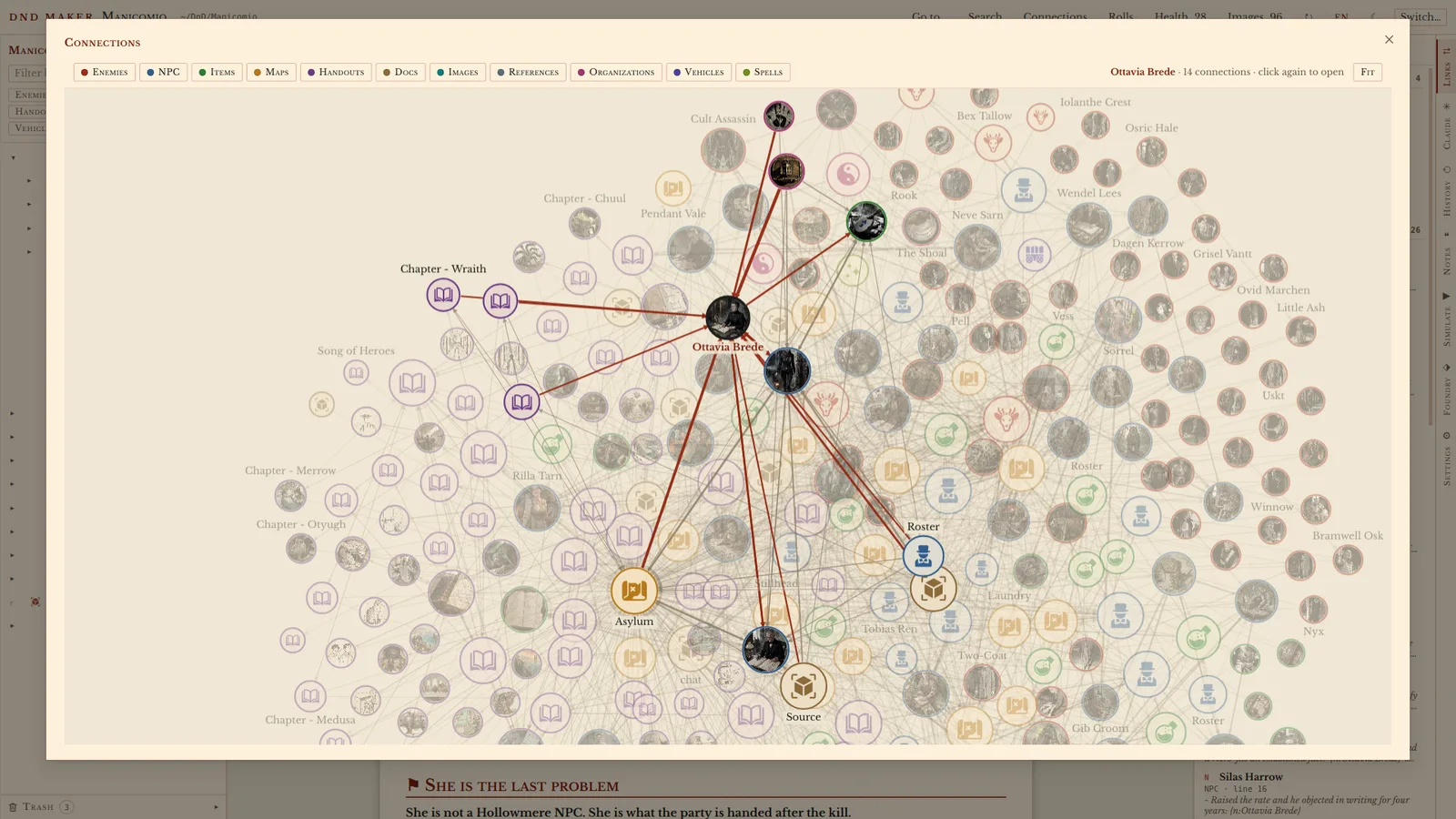
  • A board that draws how characters, places and items connect.
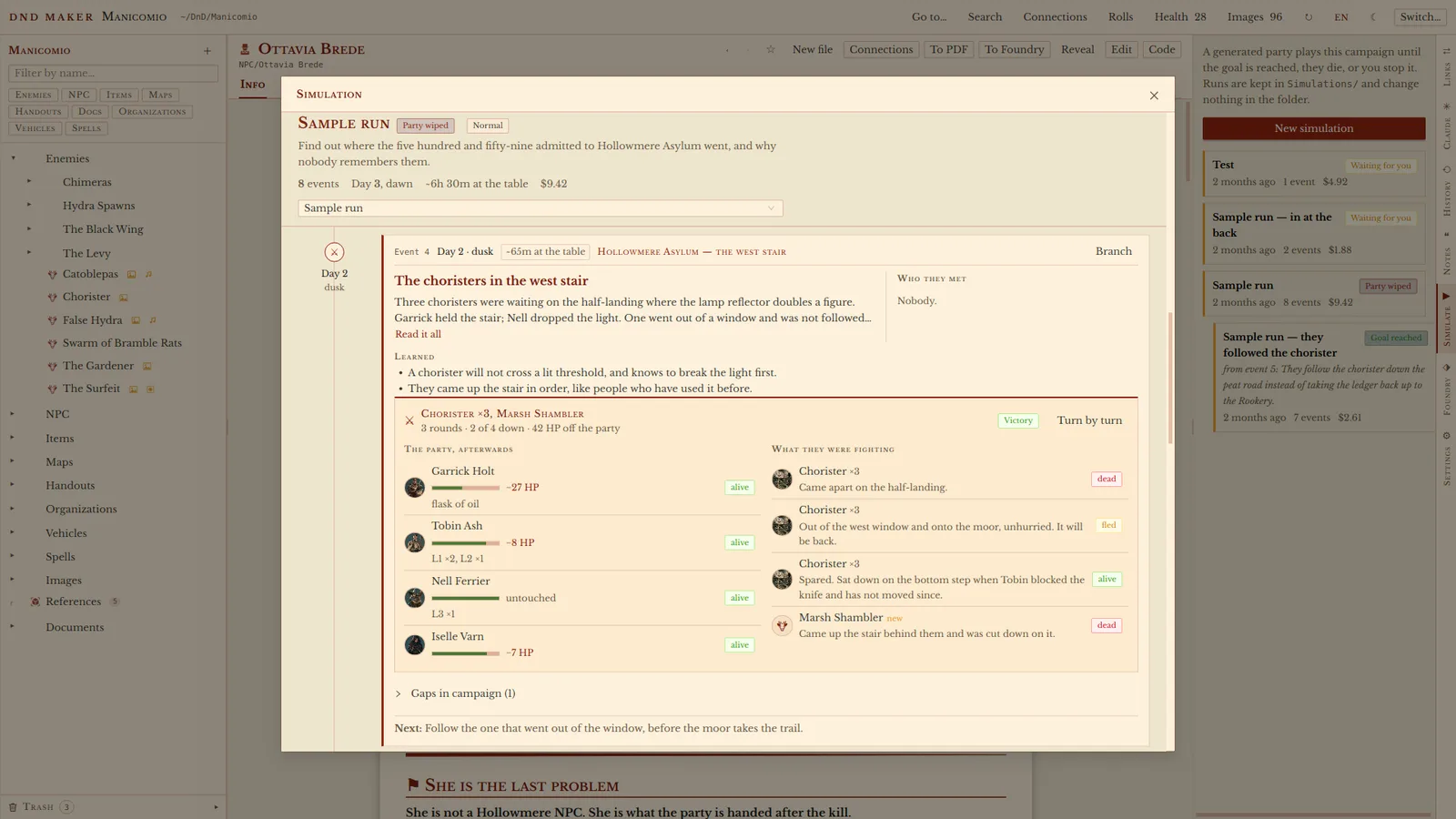
  • Simulations: an AI game master plays the adventure with AI players, to test it before the real table does.

The hard parts

An AI co‑author that can’t break your files

Claude edits under a file‑locking protocol with three‑way merges, and deletes go to a trash you can restore from. The person typing in the app takes a lock too, so the AI waits its turn.

Rules enforced by tools, not by asking nicely

At the game table the assistant is read‑only because its editing tools are switched off, not because a prompt asks it to behave.

Measure, then fix

Dragging artwork to other apps silently failed. Timing showed an 82 ms gap; preparing the image in advance brought it to 4 ms, and the drag works.

TypeScriptReactElectronthree.jsCodeMirrorClaude Code
07Spaghetti2026Desktop app · native Rust
17klines of pure Rust, no web view

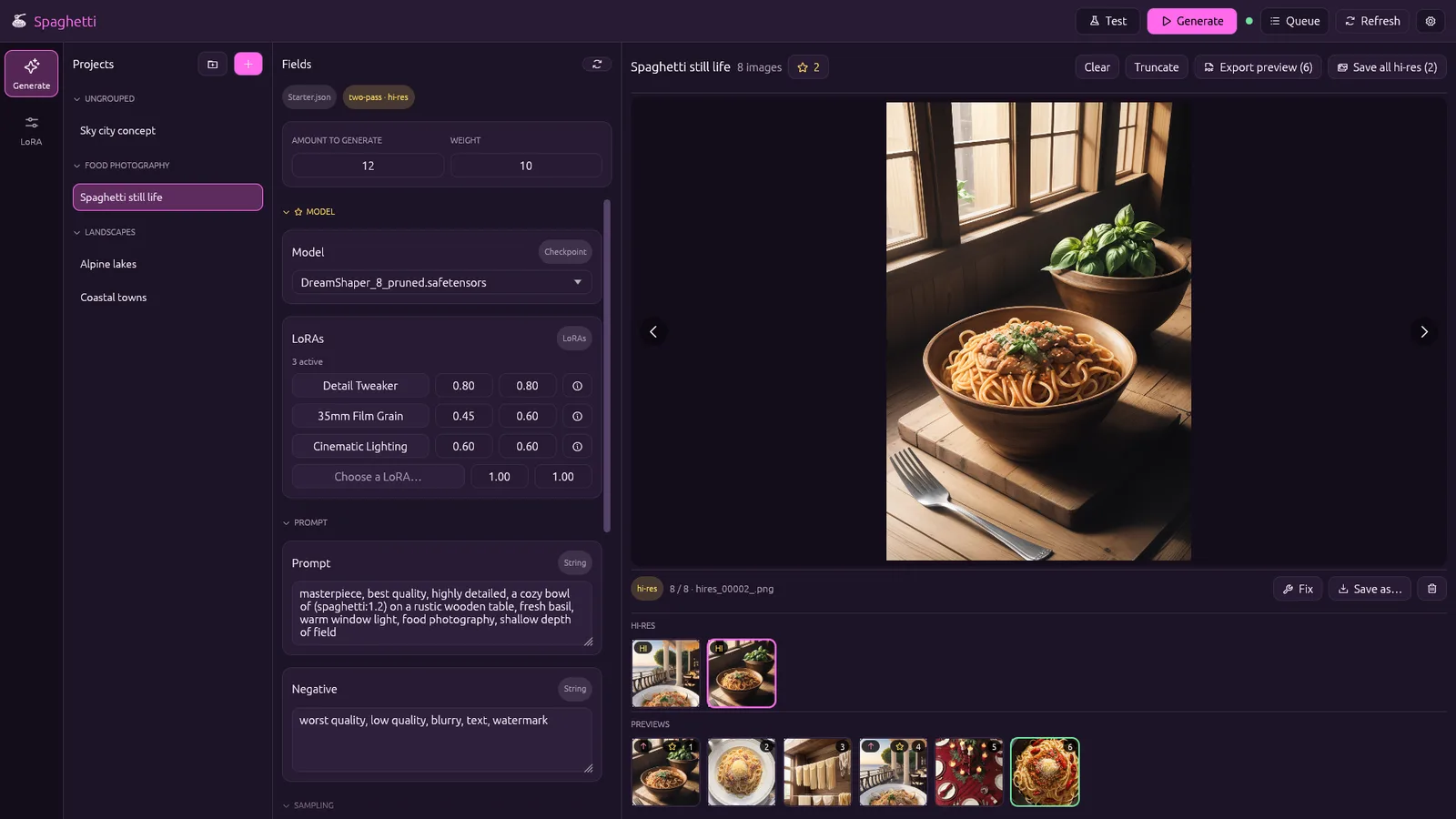
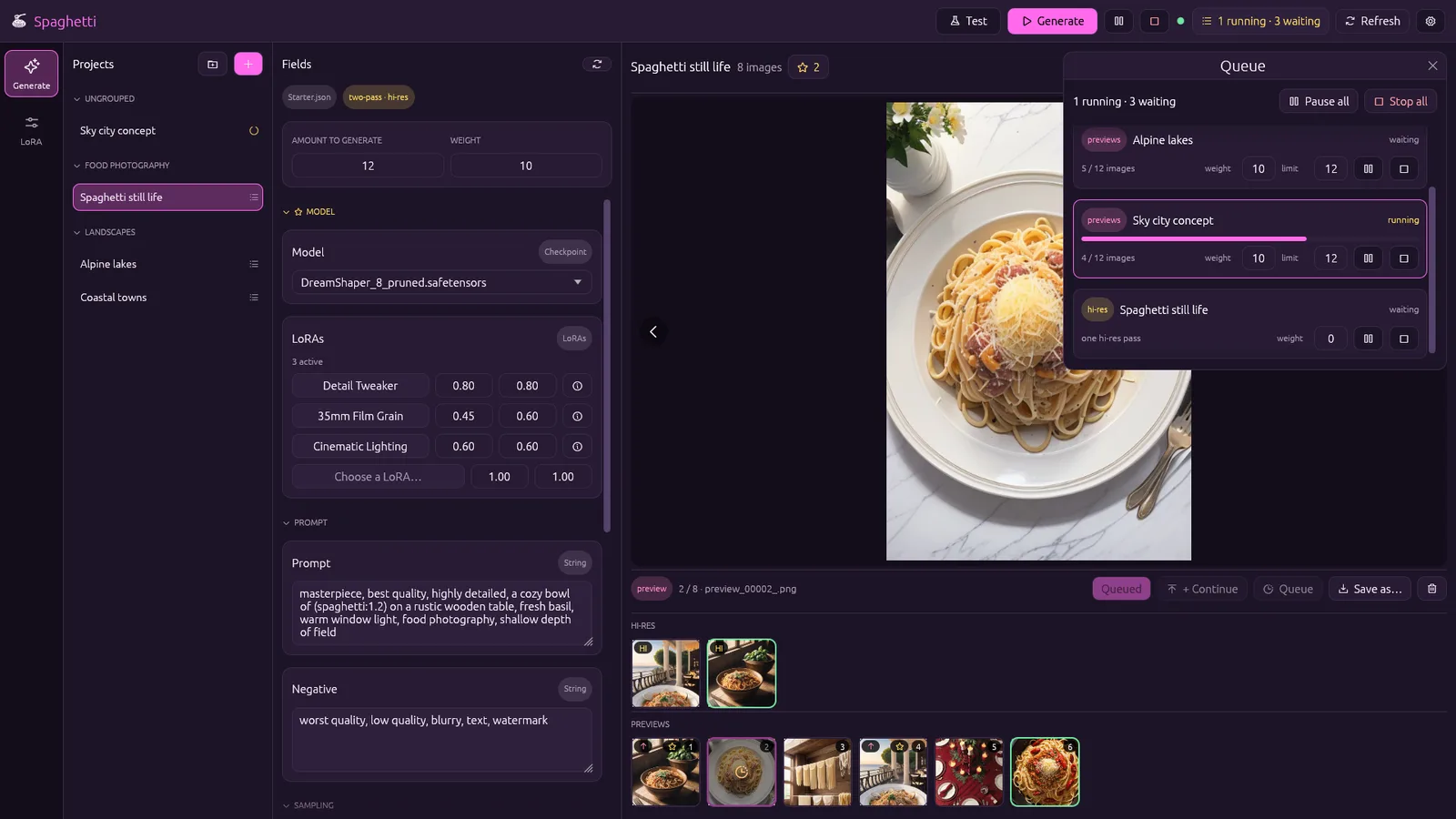
A simple front end for AI image generation

ComfyUI is a powerful but complex tool for generating images with AI, built as a canvas of wires. Spaghetti turns a workflow into a simple form, and lets several projects share one graphics card.

What it does

  • Cheap low‑resolution previews first; only the image you pick gets the expensive high‑resolution pass.
  • Several projects generate at once, with a scheduler deciding whose turn it is.
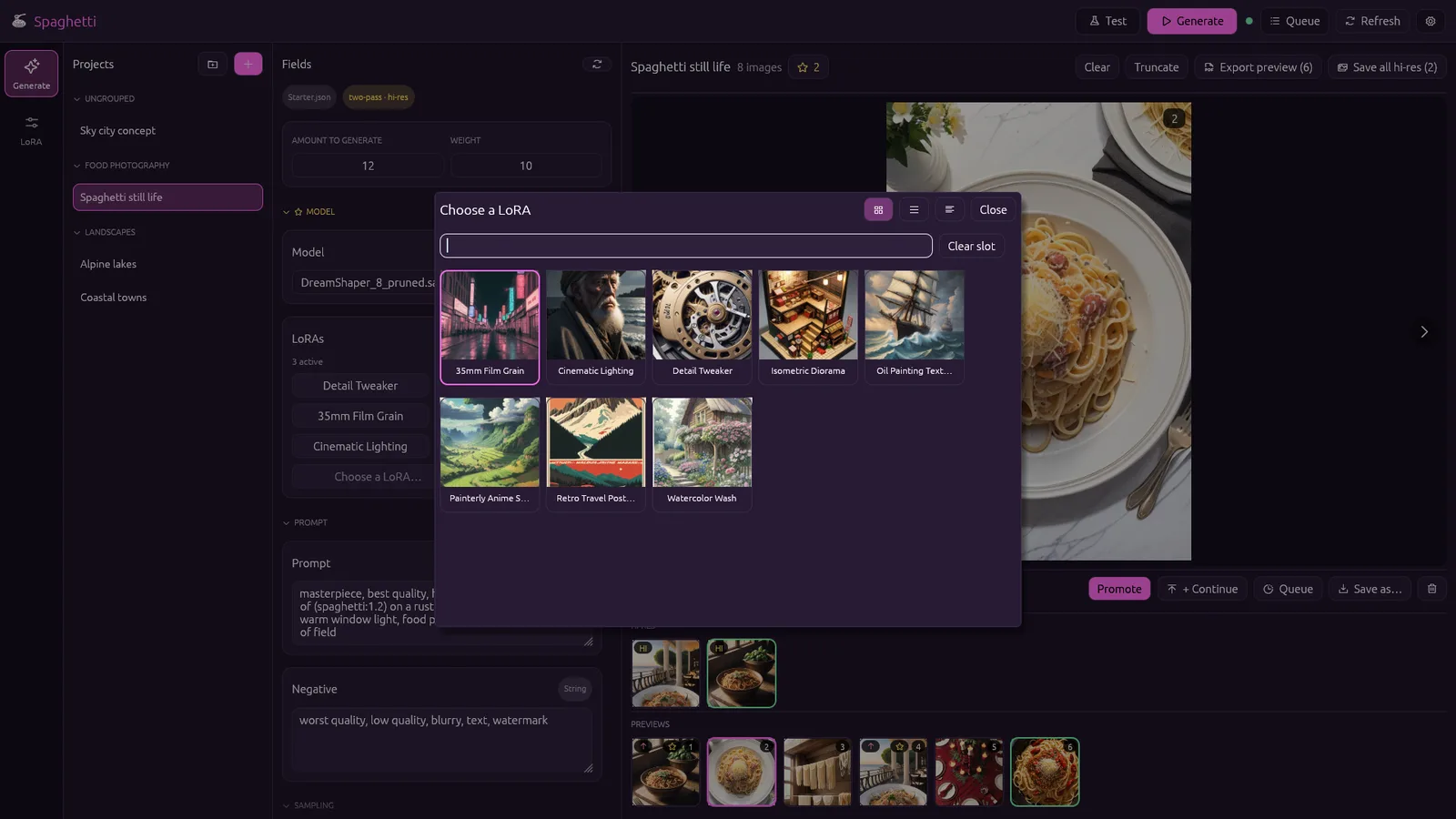
  • A style library (LoRA) linked to Civitai, cached for offline use.
  • A numbered PDF contact sheet, to ask someone “which ones do you like?”.

The hard parts

Rebuilding an undocumented conversion

ComfyUI turns its canvas into a runnable job only inside its browser front end. Spaghetti reimplements that conversion in Rust, checked against a collection of real‑world workflows.

Sharing one GPU fairly

A weighted scheduler runs one step of the most urgent task and then picks again, so a high‑resolution render never waits behind 50 previews.

A gallery that stays fast

Images decode on background threads into a size‑capped cache, so hundreds of images scroll smoothly.

RusteguiwgputokioPythonComfyUI
TODO · Add the month it was built
08MijaSep 2026iPhone app
19kwords to practise, cleaned from an open dictionary

Learn to read Japanese kana

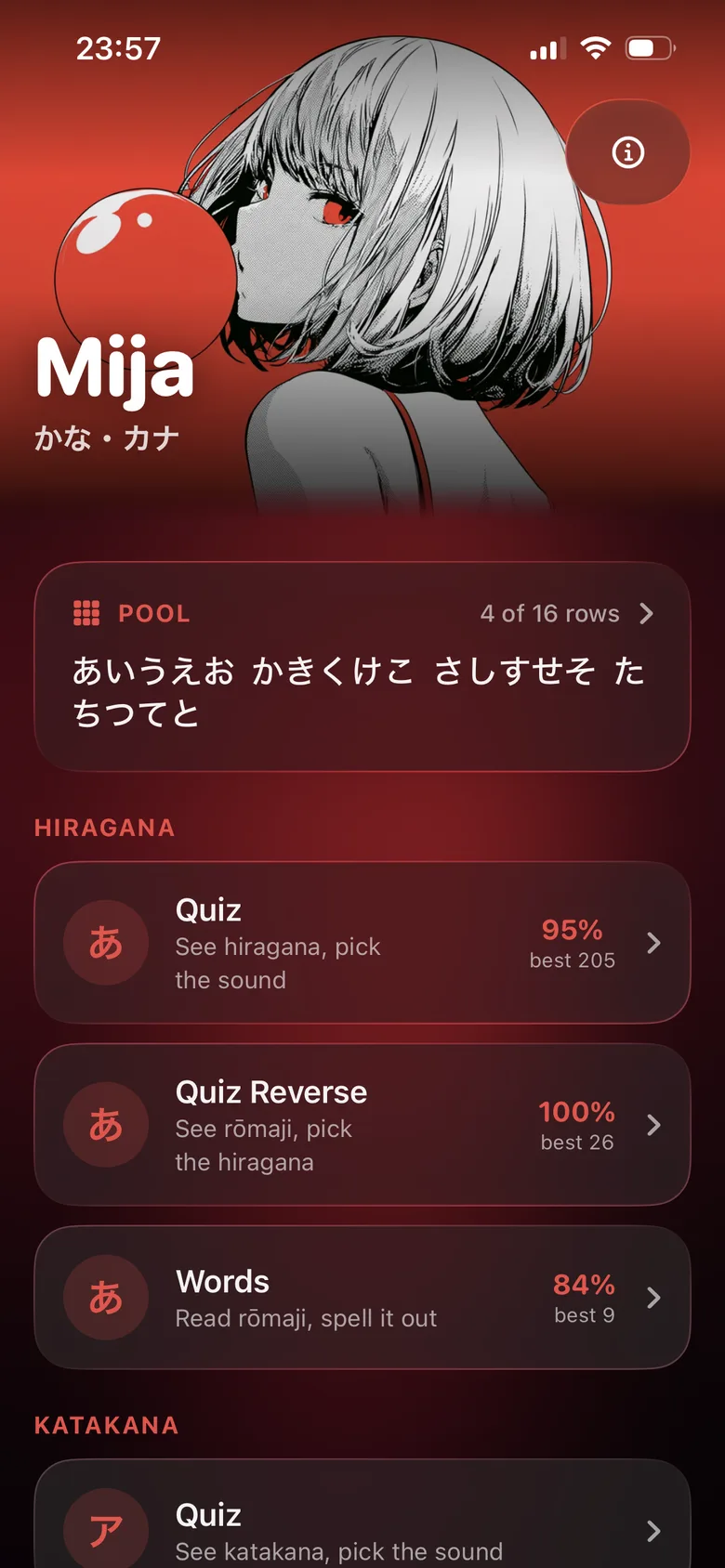
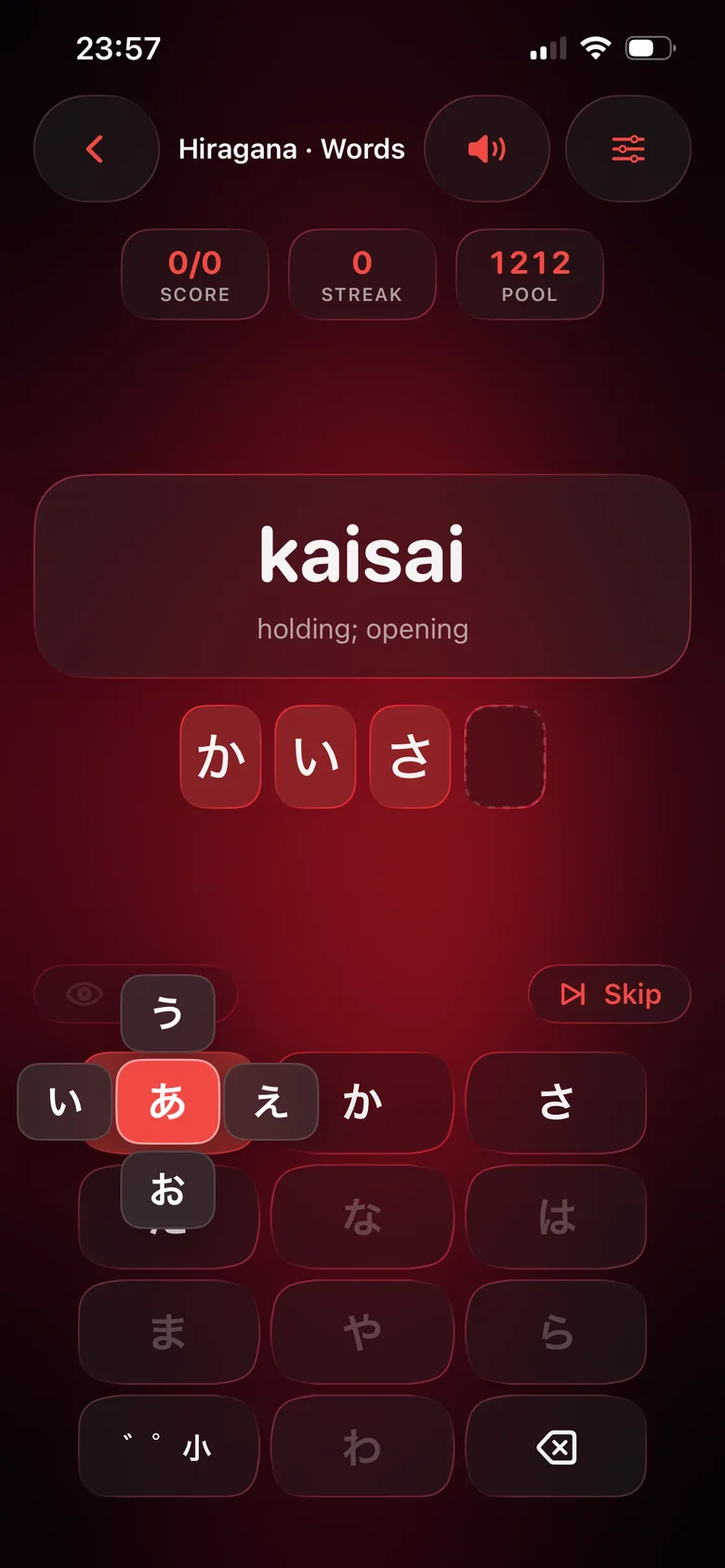
A small, fully offline iPhone app for learning hiragana and katakana, the two Japanese syllabaries, with quizzes and a word mode typed on a real Japanese flick keyboard. Built on iOS 26’s Liquid Glass design.

What it does

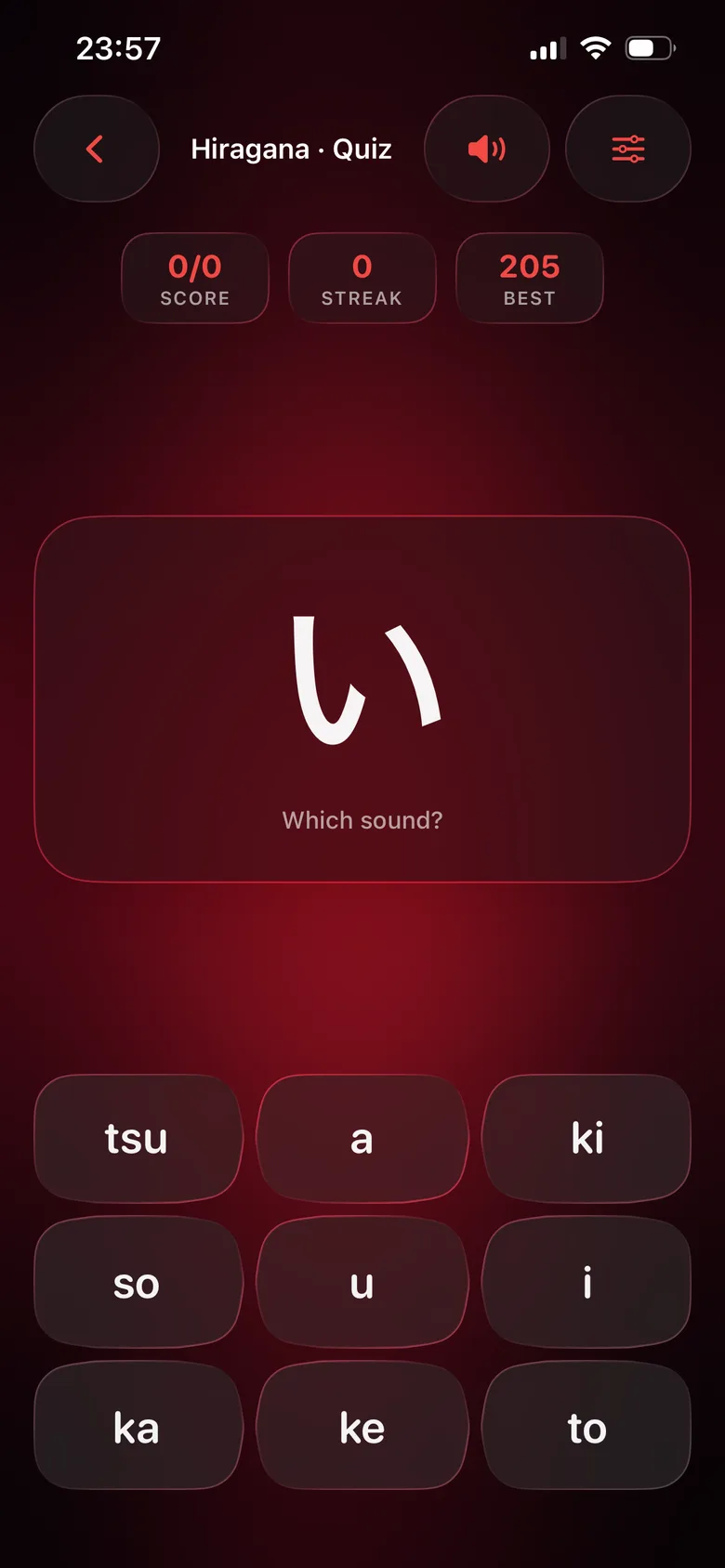
  • Quizzes both ways: see a character and pick its sound, or the other way round.
  • Spell real words on a custom 12‑key flick keyboard, limited to the characters you are learning.
  • Practise only the rows you choose; accuracy and streaks are saved per mode.
  • Sounds synthesised in code, haptics, VoiceOver, light and dark mode. No third‑party code, no network.

The hard parts

A word list from a whole dictionary

A build script cleans the open JMdict dictionary (rare, archaic and vulgar words out, short English meanings in) and generates its own romanisation that matches the keys you press.

Random, but not annoying

A “shuffle bag” with a cooldown keeps a character from coming back too soon, adapting to how many rows are switched on.

A flick keyboard in SwiftUI

Edge margins so flicks near the screen edge register, a preview that stays readable over the glass, and VoiceOver actions for every character a key can type.

SwiftSwiftUIAVFoundationPython
09ApiLynxOct 2026Desktop app · macOS, Linux, Windows

Design APIs visually

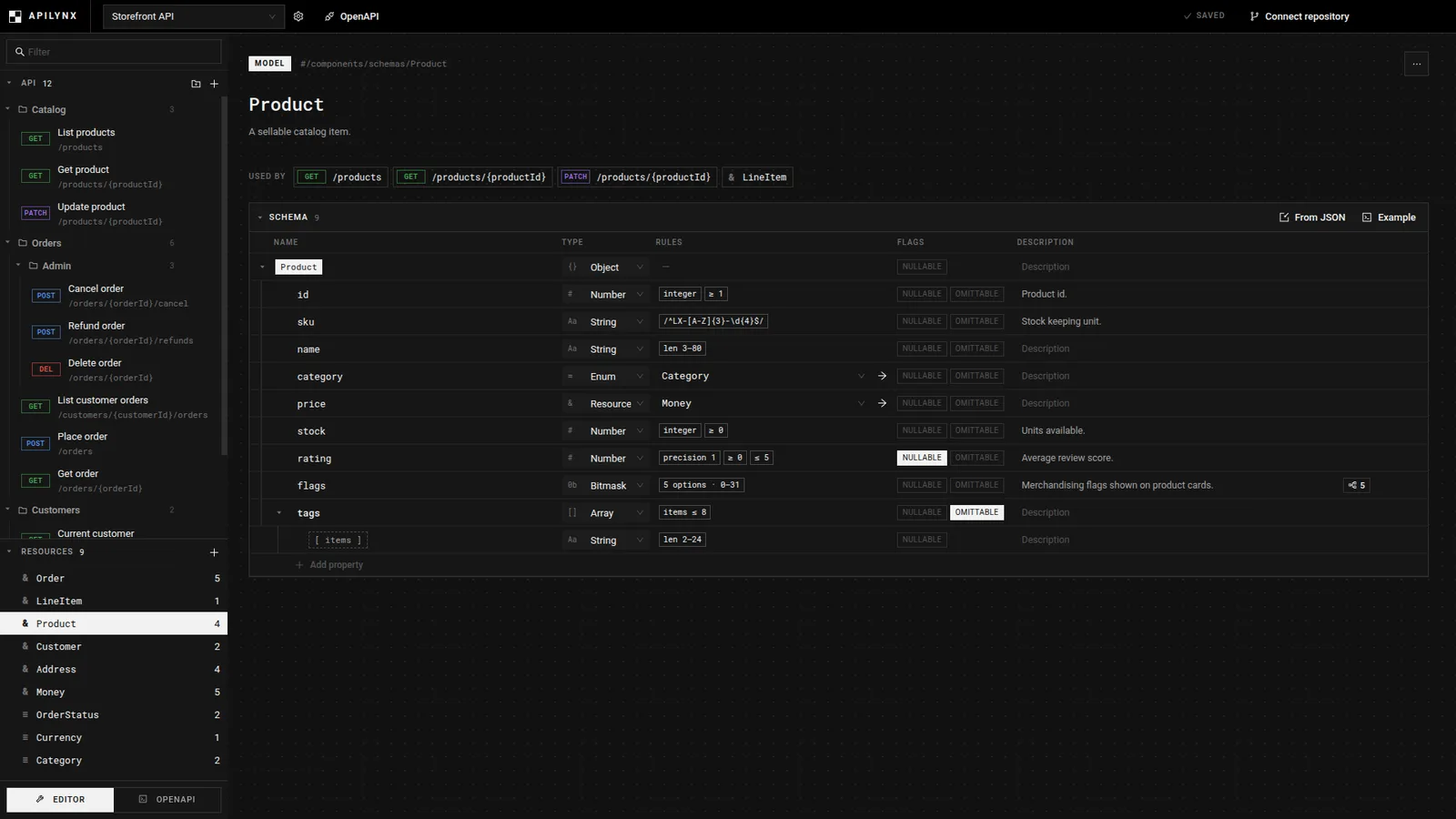
A desktop app for designing an API, the contract between an app and its server, in a visual editor instead of hand‑writing long specification files. With teamwork through Git and AI‑generated sample data.

What it does

  • Build an API as a tree of groups and endpoints, with a structured editor for every field.
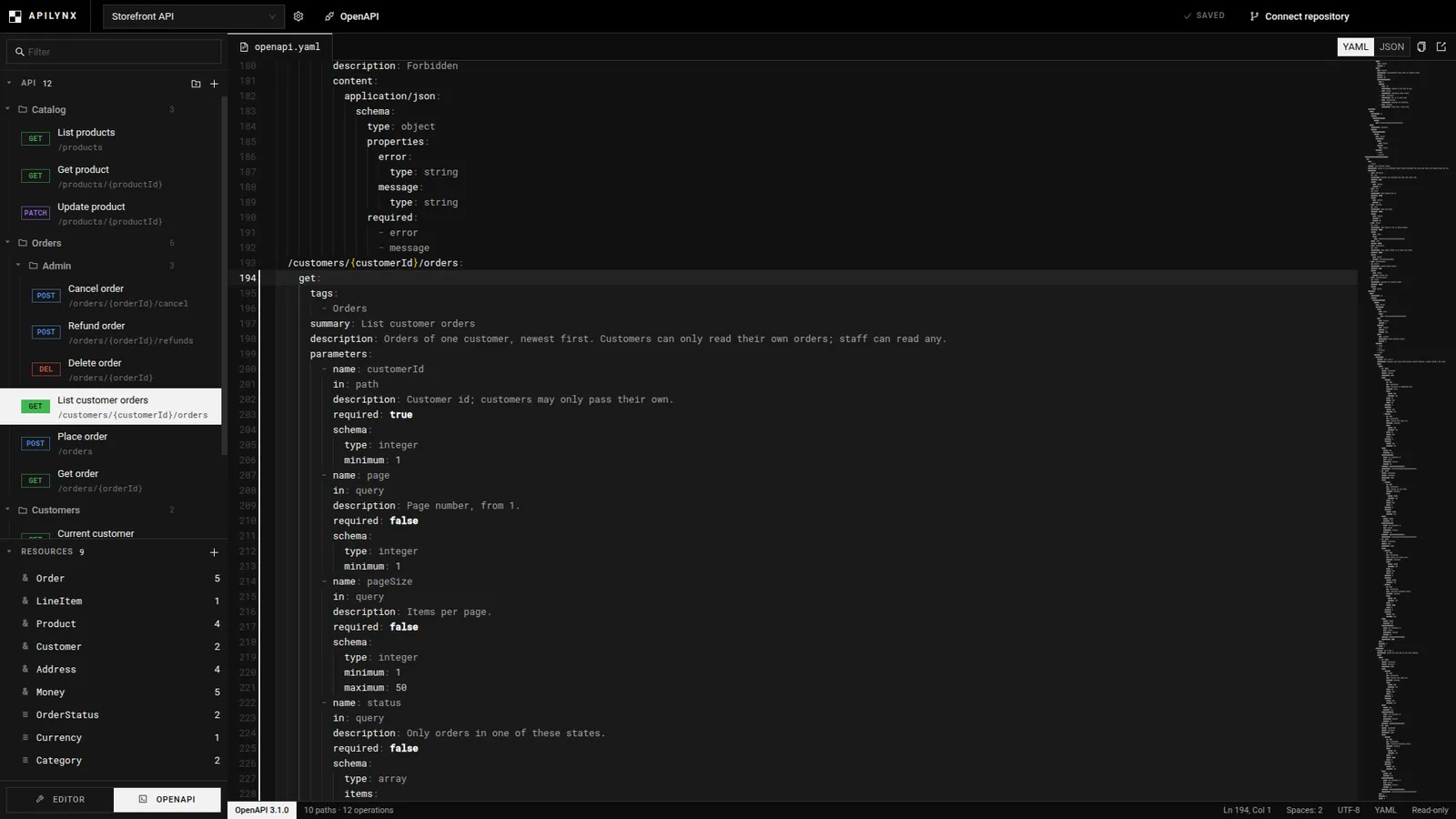
  • Import and export standard OpenAPI 3.1 files without losing anything.
  • “Save” commits and pushes to a Git repository, with a commit message written from what changed.
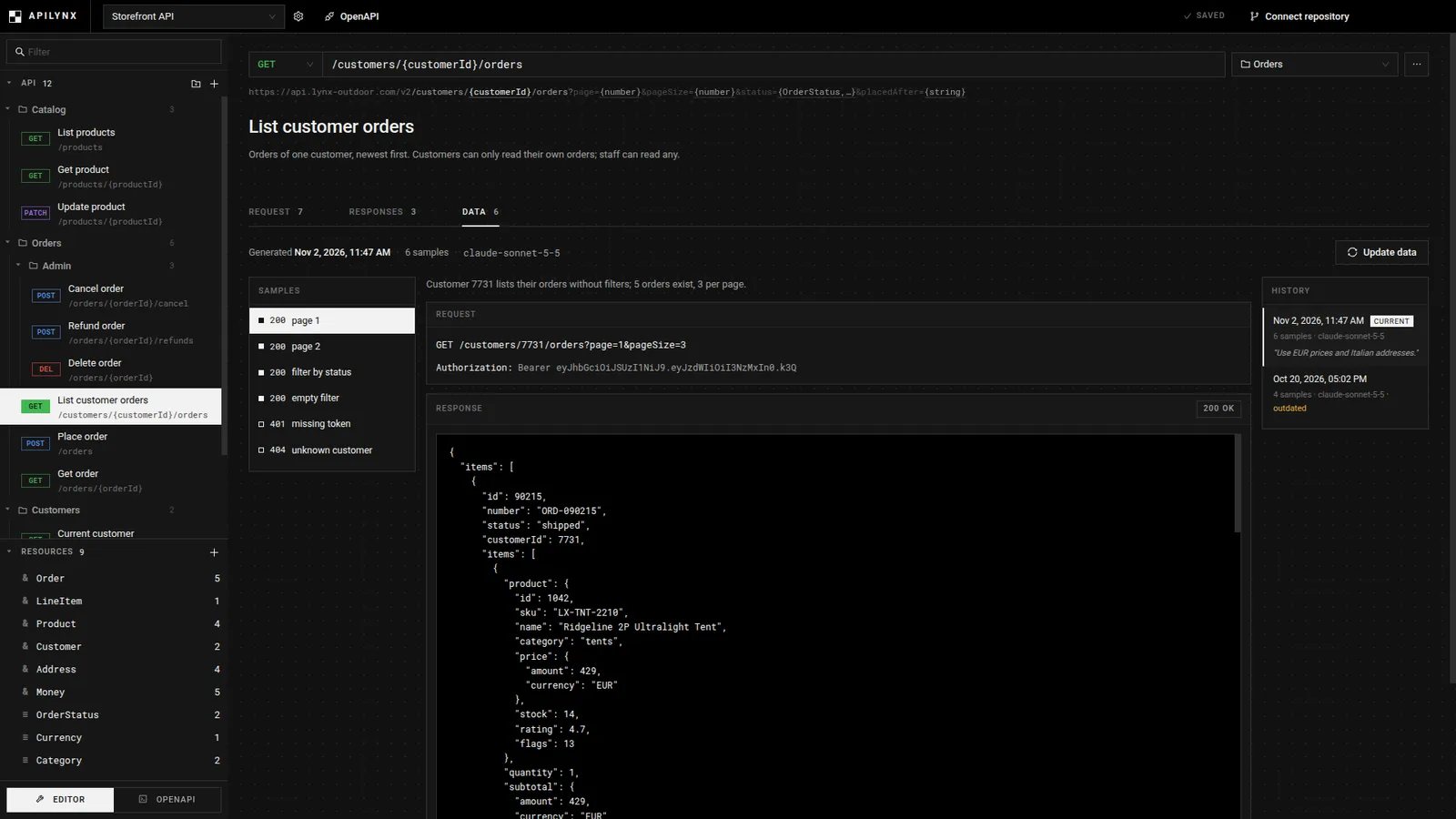
  • Realistic sample data generated by Claude, checked against the schema and flagged when the endpoint changes.

The hard parts

A lossless round trip

The visual model holds more than OpenAPI can express. The extra details travel in vendor extensions, and specs imported from other tools are repaired and reported, never silently dropped.

Git for people who don’t use Git

Only the bound file is committed, and a rejected push is rebased and retried once. On a real conflict the commit stays safe locally and the user is told what to do.

AI data that stays honest

Each endpoint has a “shape fingerprint”. When its shape changes the samples are marked outdated; renaming or rewording doesn’t count.

TypeScriptReactElectronZustandOpenAPIClaude Code
10StrataLabMay – Jun 2026Desktop app · Windows, macOS, LinuxCore features work; SSH tunnels and the AI assistant are not finished
46query stages in the visual builder

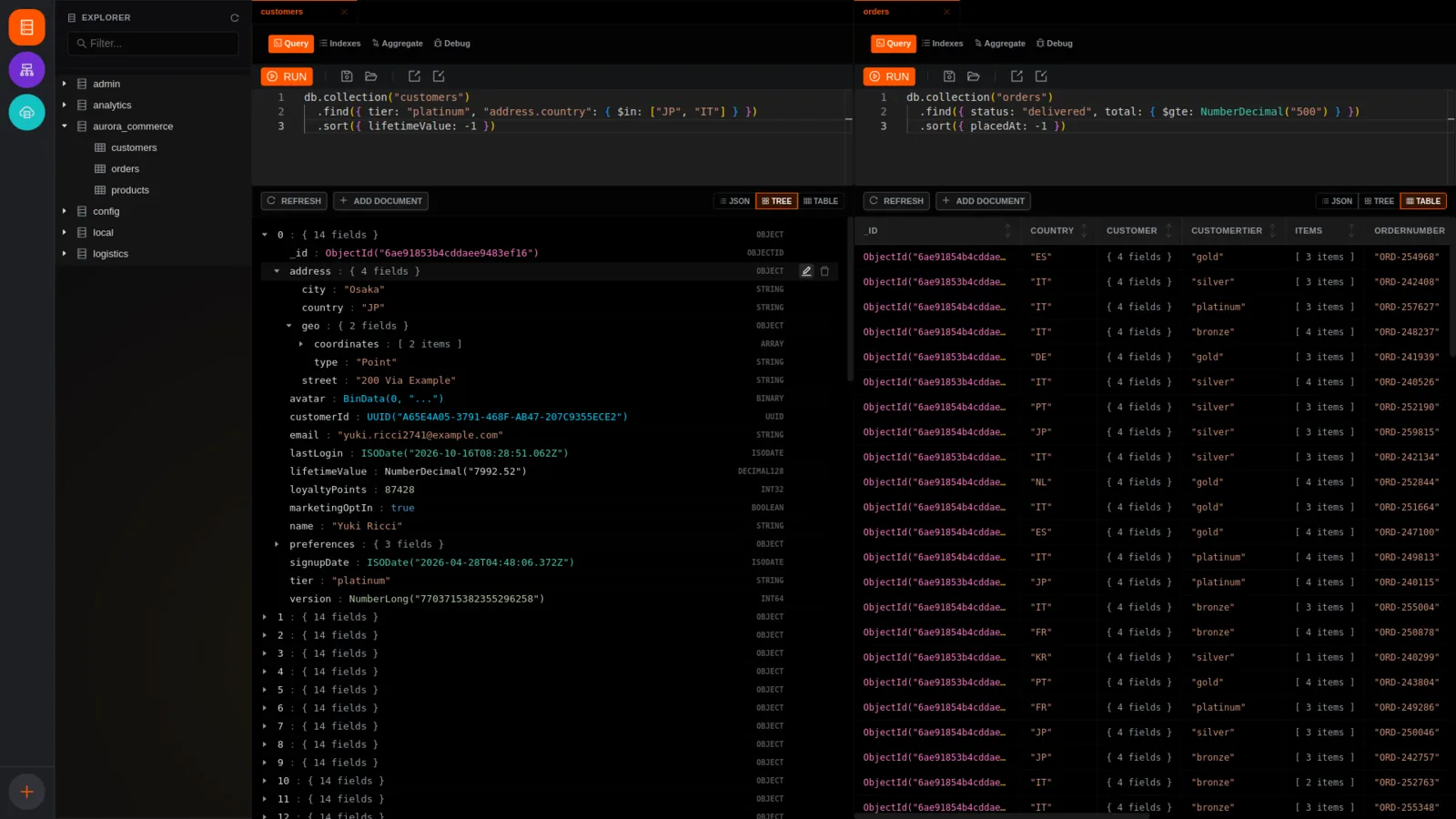
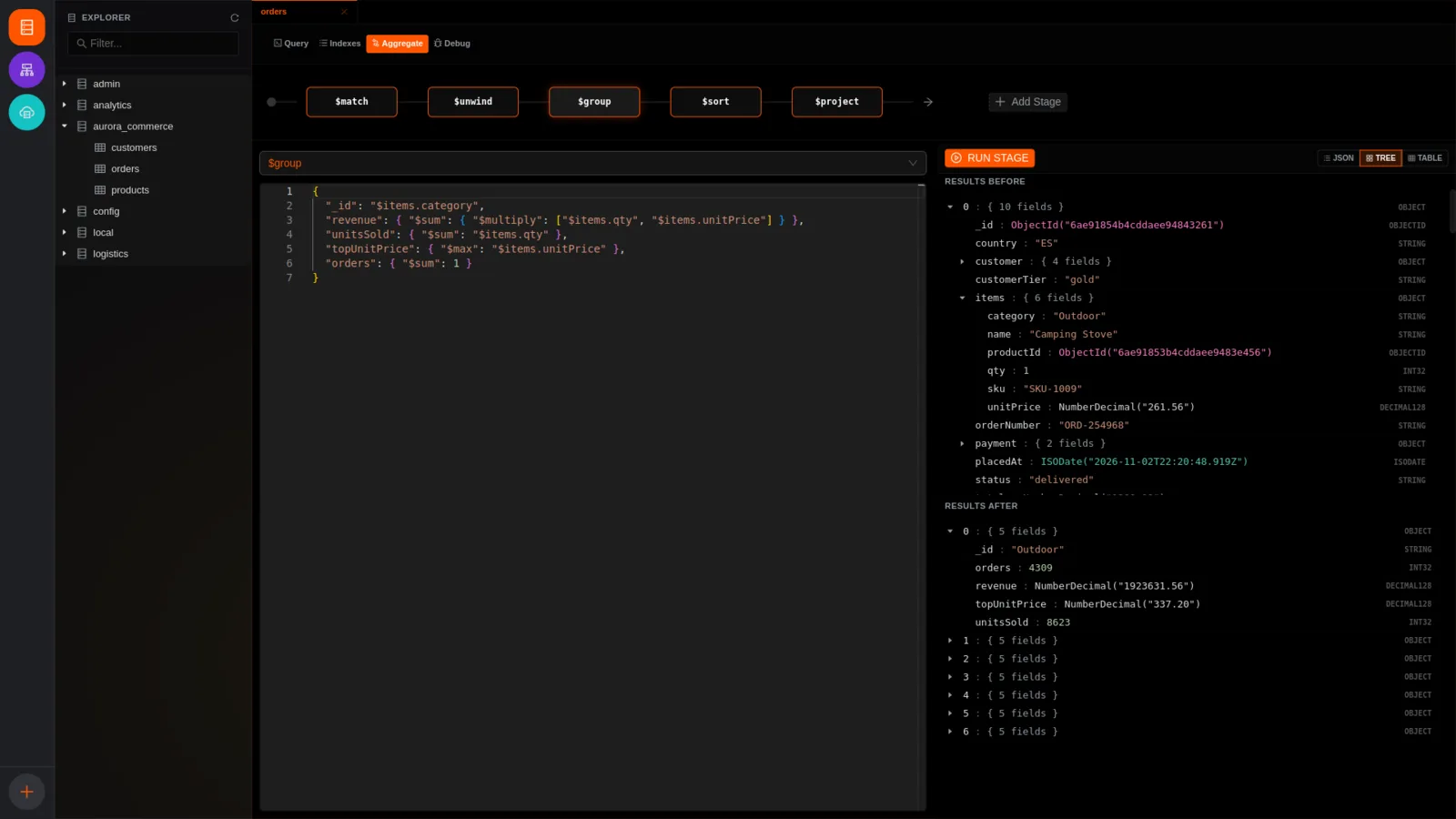
A desktop tool for MongoDB databases

A desktop client to explore and edit MongoDB databases, in the same space as Studio 3T and Compass, with a visual way to build and understand complex queries. Written spec‑first, with an AI coding agent (Gemini CLI) implementing.

What it does

  • Query, browse and edit data as a tree, a table or raw JSON.
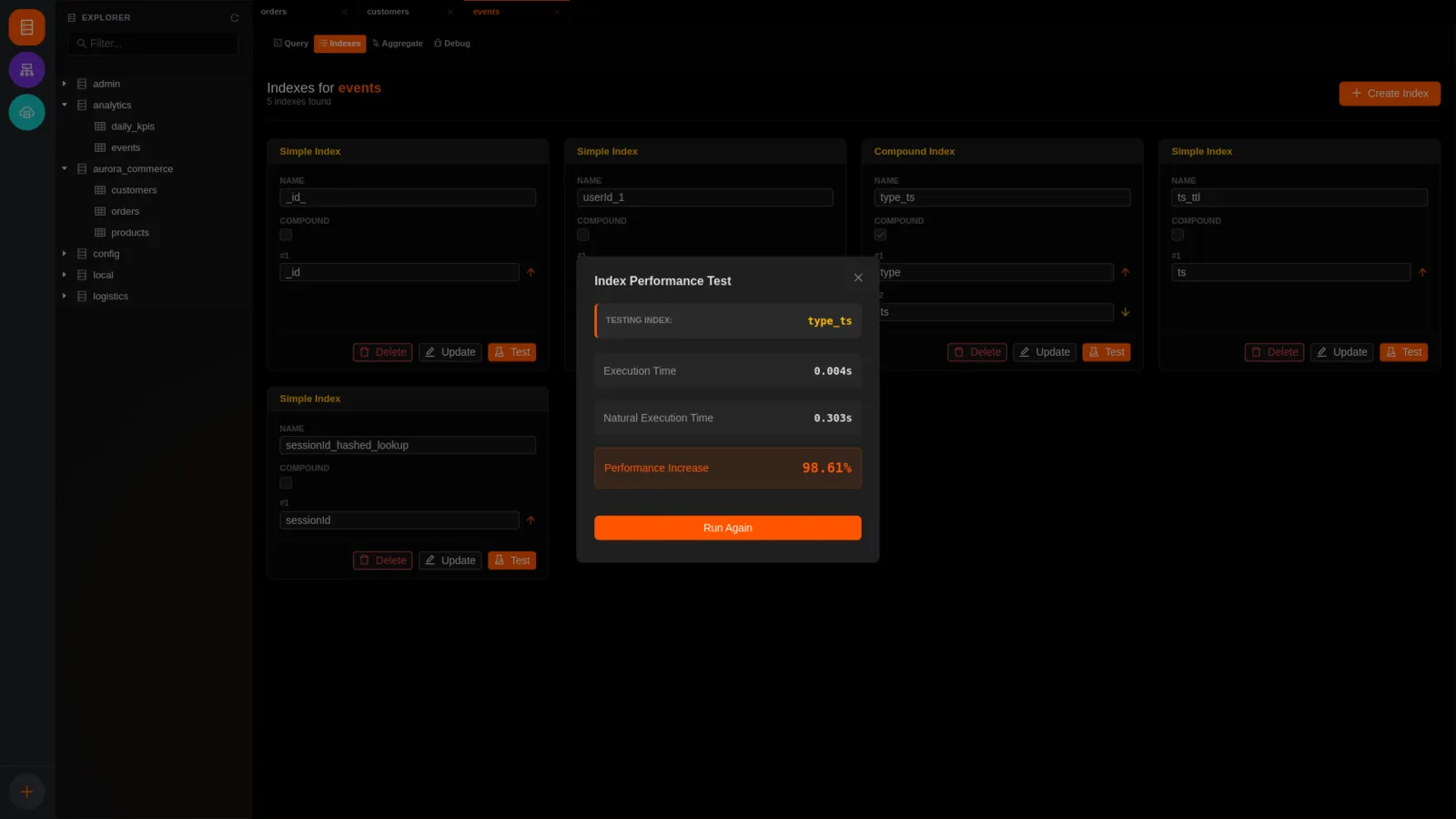
  • A visual timeline for multi‑step queries, showing the data before and after each step, with timings.
  • A one‑click test that measures how much faster an index makes a query.
  • A split view with tabs you can drag between panes.

The hard parts

Data types that broke the app

MongoDB’s special types can’t pass between the app’s processes. A two‑way translation layer turns them into plain data and rebuilds the exact types on the way back.

A UI that froze on large results

Every row owned its own edit dialog. One shared dialog, opened through events, made thousands of rows fast again.

Edits that keep your place

After an edit only that document is reloaded and swapped in, so the expanded tree and scroll position stay where they were.

TypeScriptVue 3ElectronMongoDBMonacoGemini CLI
11Hive2026Desktop app · macOS, LinuxStep 1 of a multi‑step build: the planner, review flow and file format work; the Claude Code connection comes next

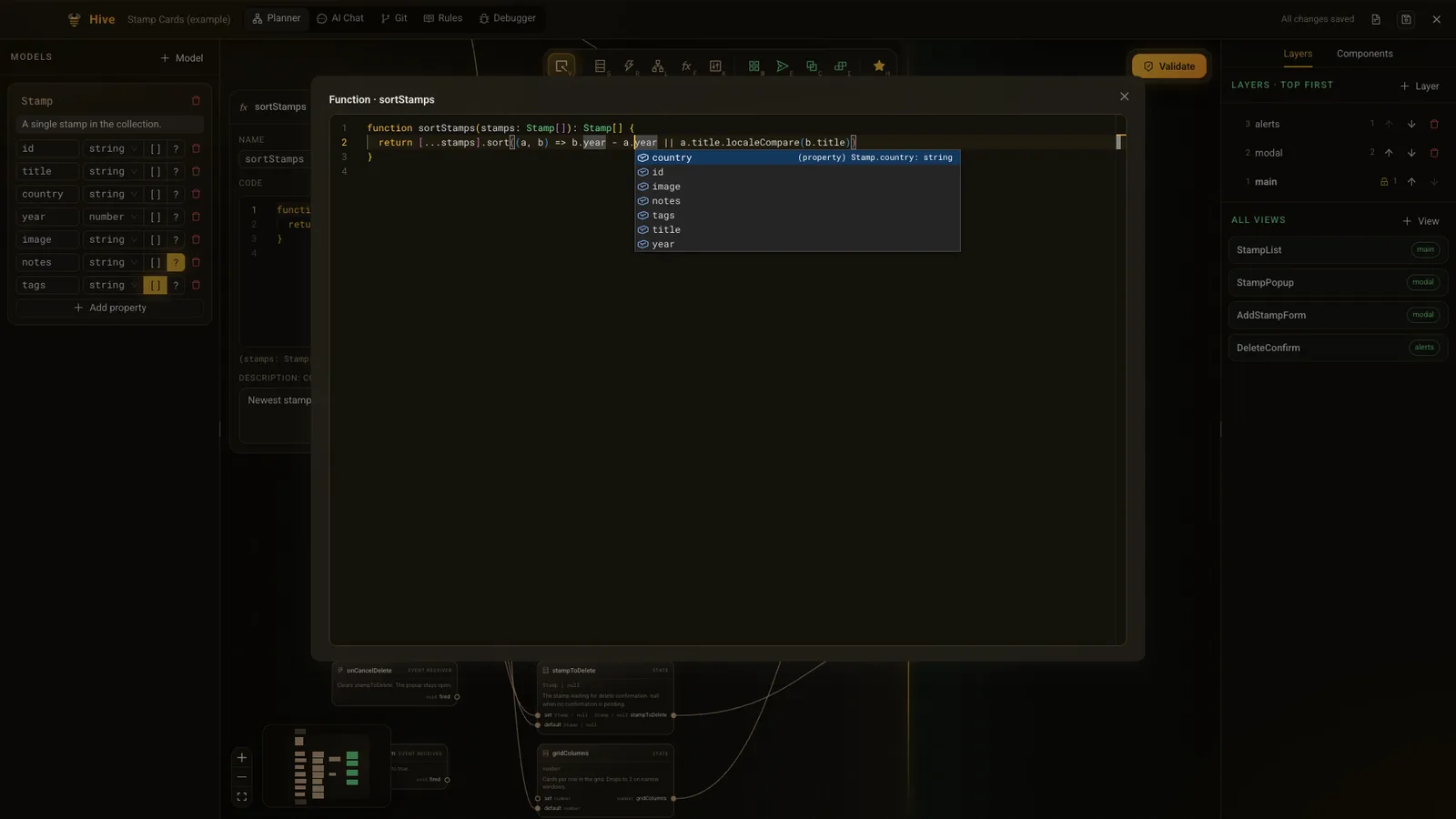
Plan an app as a diagram, then build it with AI

A tool for building apps with AI while the human stays in charge of the design. You draw the app’s logic and screens as a connected diagram; a validation step then proposes only the changes your own descriptions require.

What it does

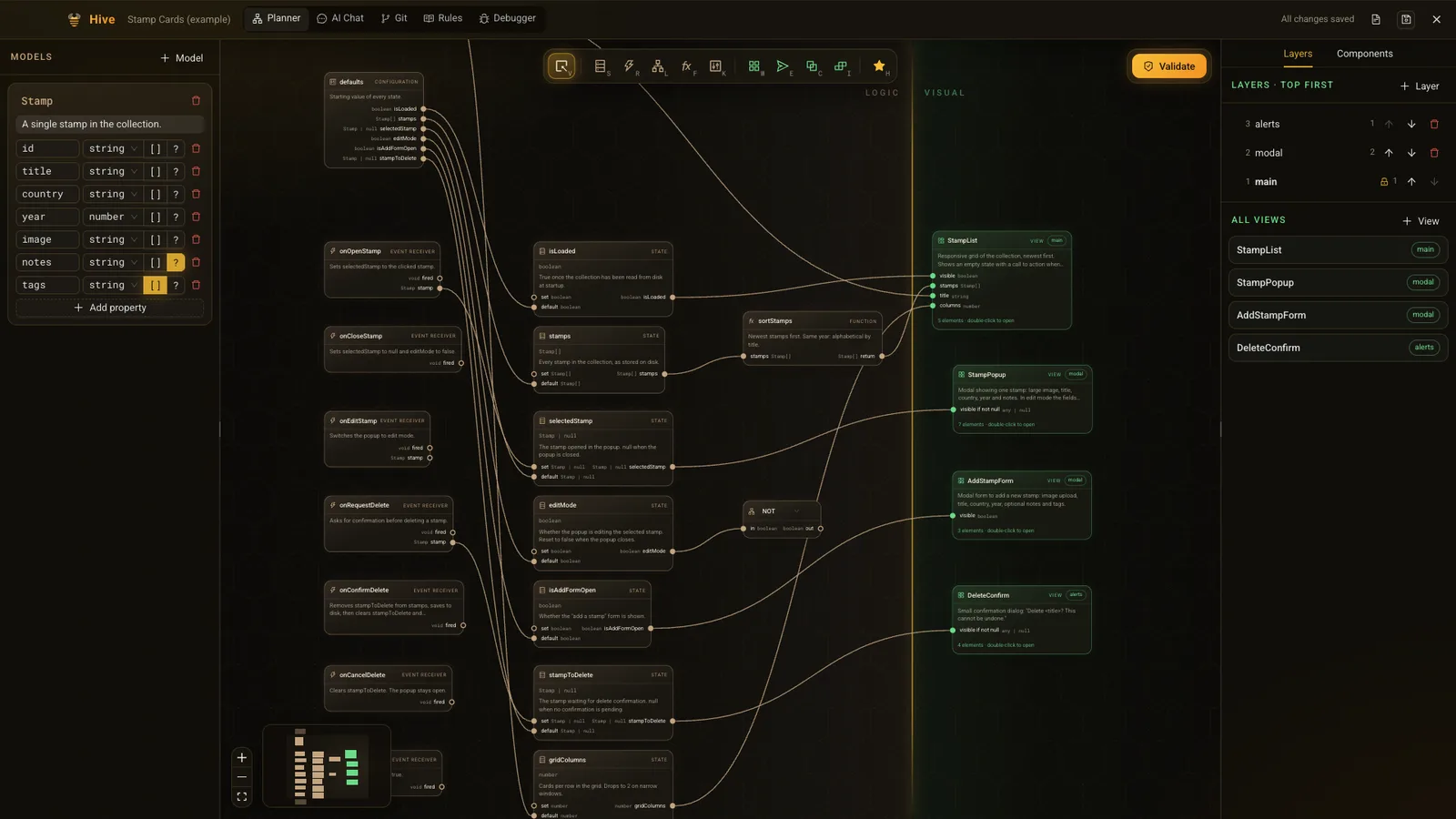
  • A split canvas: logic on one side, screens on the other, wired together.
  • Typed connections: a wire is refused when the types don’t match.
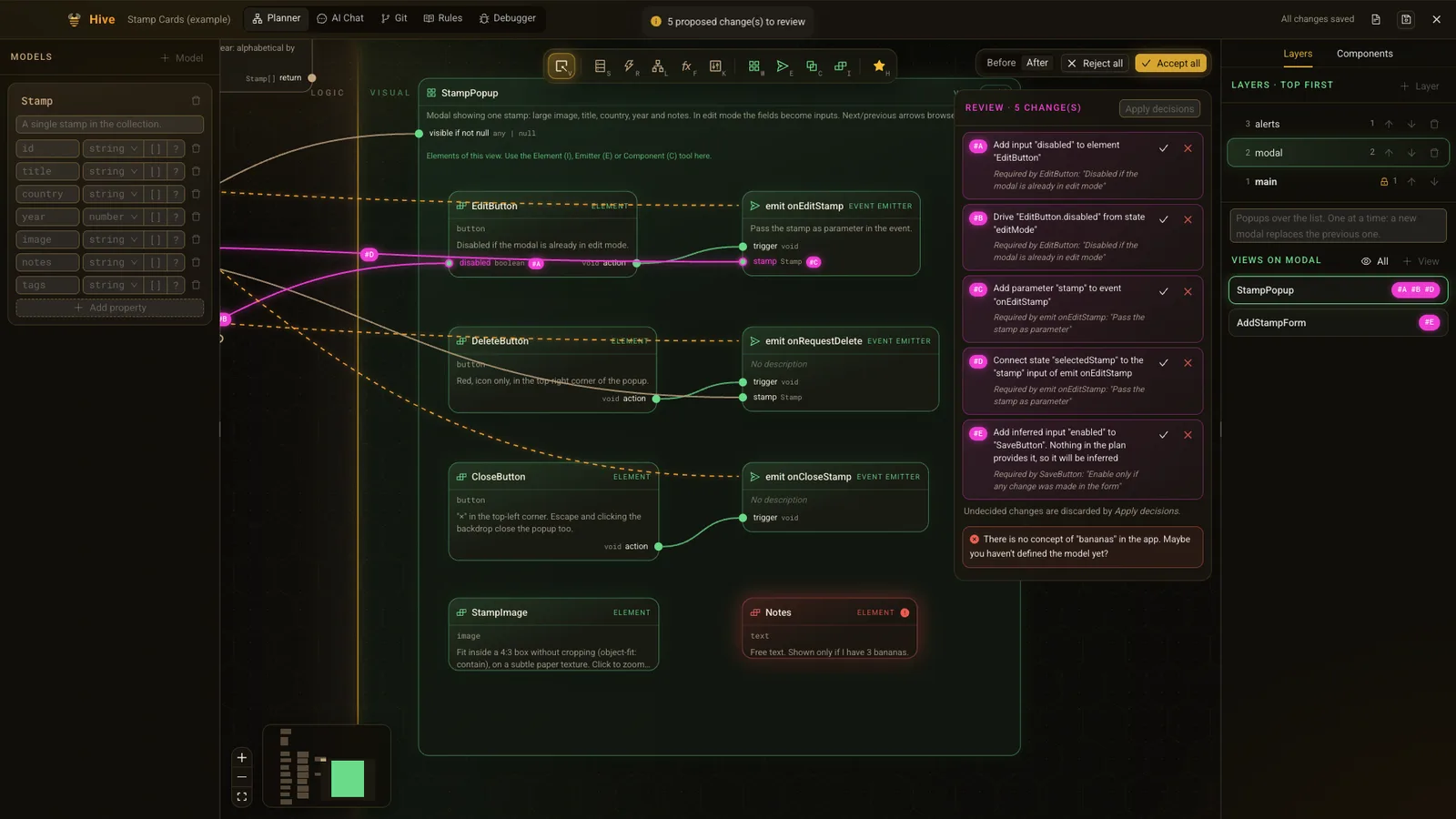
  • A review screen: accept or reject each proposed change, with a before/after switch.
  • A shared library of coding rules, reused across projects.

The hard parts

AI that helps without taking over

A proposed change can only add a port or a connection; creating nodes or rewriting descriptions can’t even be expressed. An empty answer counts as success, and every change must quote the requirement behind it.

Reviewing changes to a diagram

Each change gets a letter shown on the exact wire or port it adds. Accepting a wire also accepts the port it needs; rejecting a port rejects its wires.

Saving safely

Autosave every 20 seconds and only when something changed, with atomic writes so a crash can’t corrupt the project file.

TypeScriptReactElectronReact FlowZustandMonaco
TODO · Add the month it was built